
How To Overcome Fear of Public Speaking with Speakfect
A step-by-step walkthrough — with real app screenshots — of using Speakfect to build public speaking confidence: profile, goal, drills, coach, and progress tracking.
Published Updated
If you struggle with public speaking anxiety, the moments that trigger it are rarely a big stage — they're a stand-up update, a stakeholder readout, or being called on in a meeting with no warning. The fastest way to reduce that anxiety isn't reading about it — it's low-stakes reps where nobody but you sees the result. Here's how to set that up in Speakfect specifically for anxiety, not performance, with real screens from the app.
Download on the App Store → Get it on Google Play →
Step 1 — Set up your profile
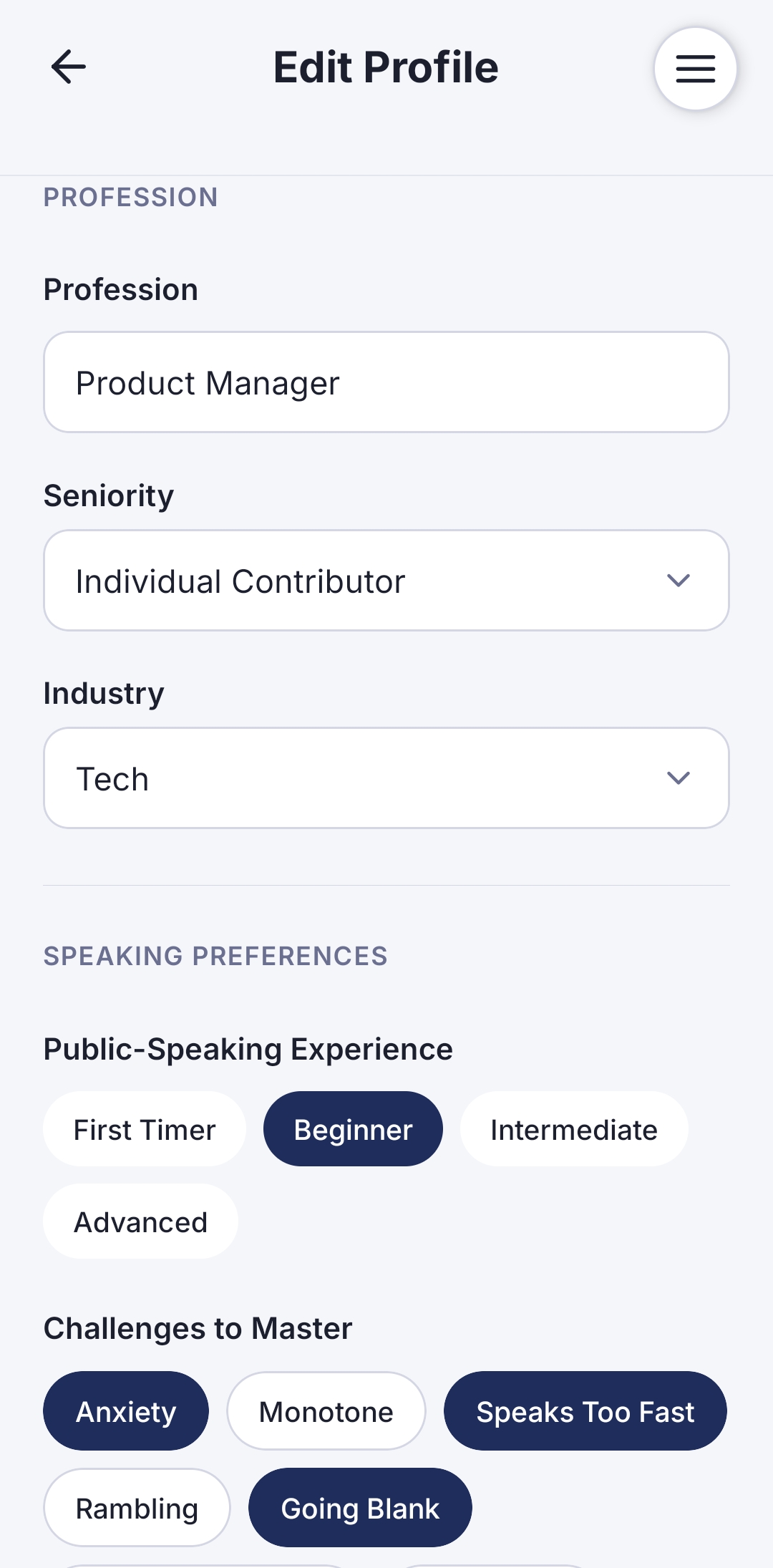
Open Edit Profile and start by adding your name — this makes the app experience feel personal from day one, and your coach will address you directly in feedback.
Then fill in Profession, Seniority, and Industry. These three fields are what power Speakfect's hyper-personalized Drills — a unique feature that tailors every exercise to your actual work context, not generic templates. A product manager in tech gets different drill topics and framing than a nurse or a teacher. The more specific you are, the more relevant every rep feels.
Under Speaking Preferences, flag Anxiety and Going Blank as challenges. This is how the coaching model knows to frame feedback around building confidence rather than maximizing critique.
Step 2 — Set your goal — with context
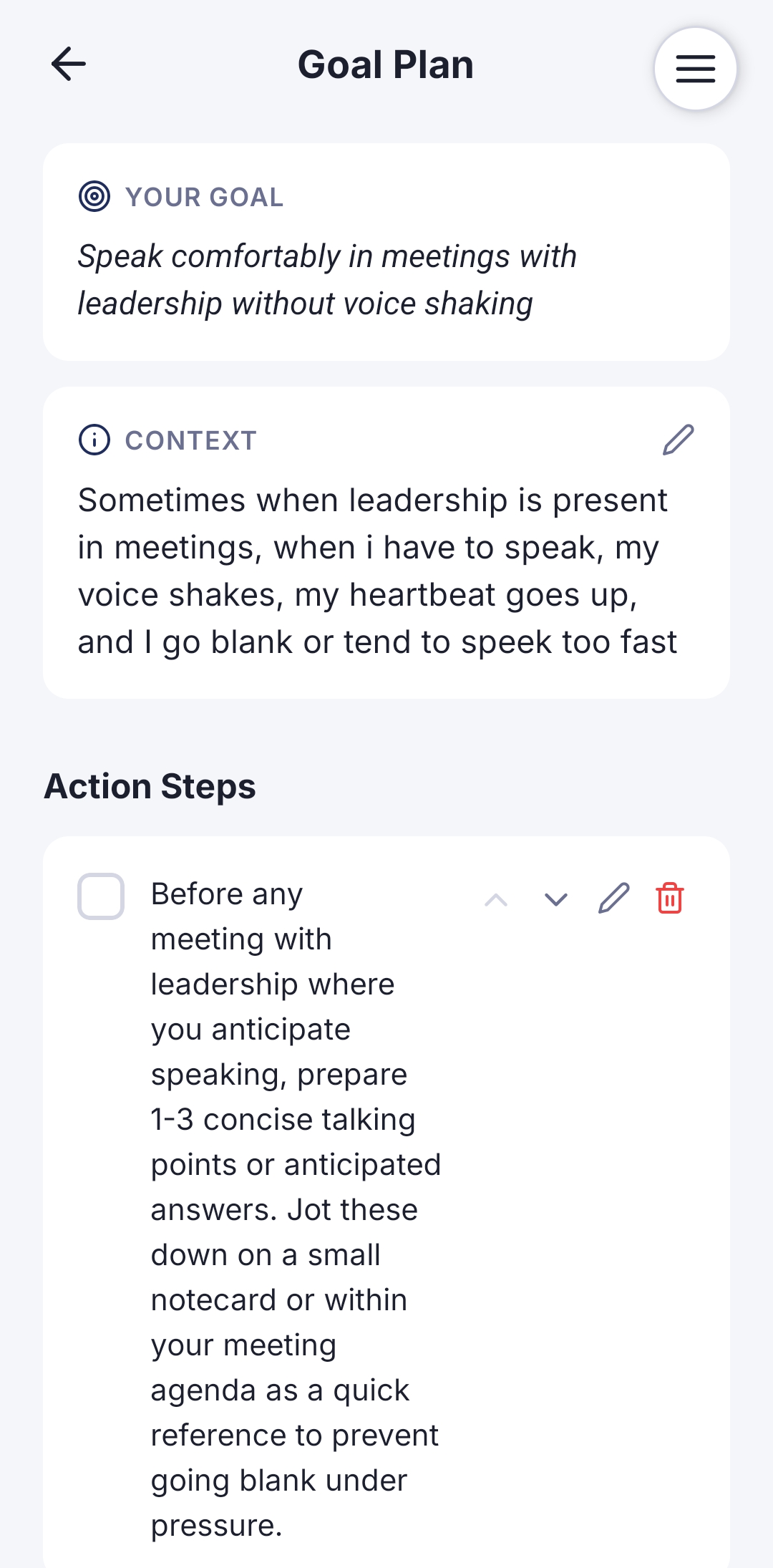
On Goal Plan, don't just name a topic — name the actual blocker. Something like: "Speak comfortably in meetings with leadership without my voice shaking."
Then add Context. This is the part most people skip, and it's the most valuable. Describe specifically what happens to you: "Sometimes when leadership is present, I have to speak and my voice shakes, my heartbeat goes up, and I go blank or tend to speak too fast." That level of detail is what lets Speakfect tailor your Goal Plan's action steps to your actual pattern — not a generic anxiety template. The more specific your context, the more targeted the practice.
Step 3 — Use Drills for the smallest possible reps
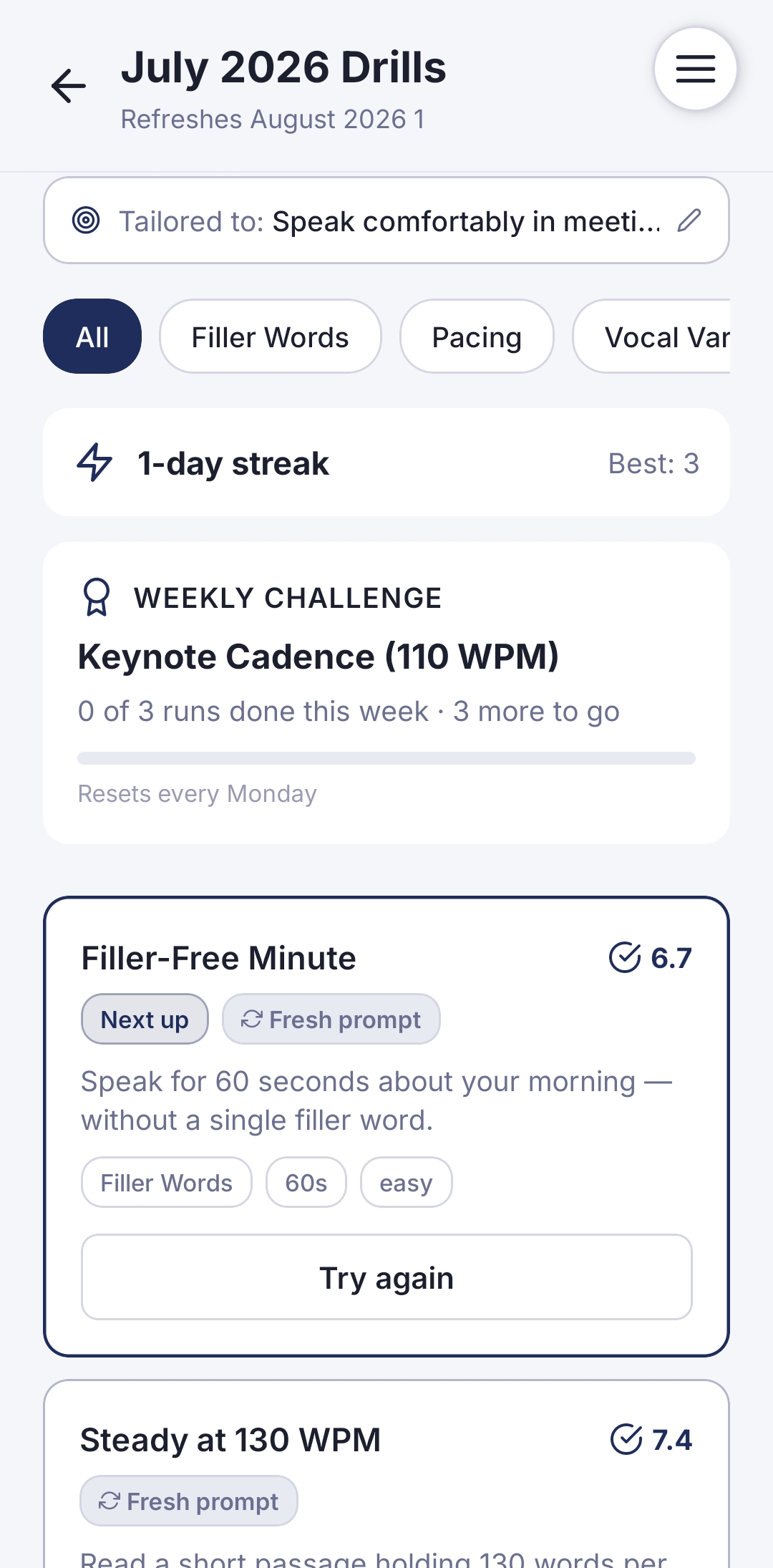
Once your goal is set, open Drills. These are 60–120 second exercises — small enough that "just do the rep" doesn't feel like a big ask, which is the entire point for anxiety sufferers. Because your Profession and Goal context are already set, Drills are tailored to your situation: the prompts, the difficulty level, the framing all reflect your role and what you told the app you're working on.
The goal of the first two weeks isn't a polished performance. It's volume of low-stakes reps that gradually train your nervous system that speaking is safe.
Step 4 — Choose and name your coach
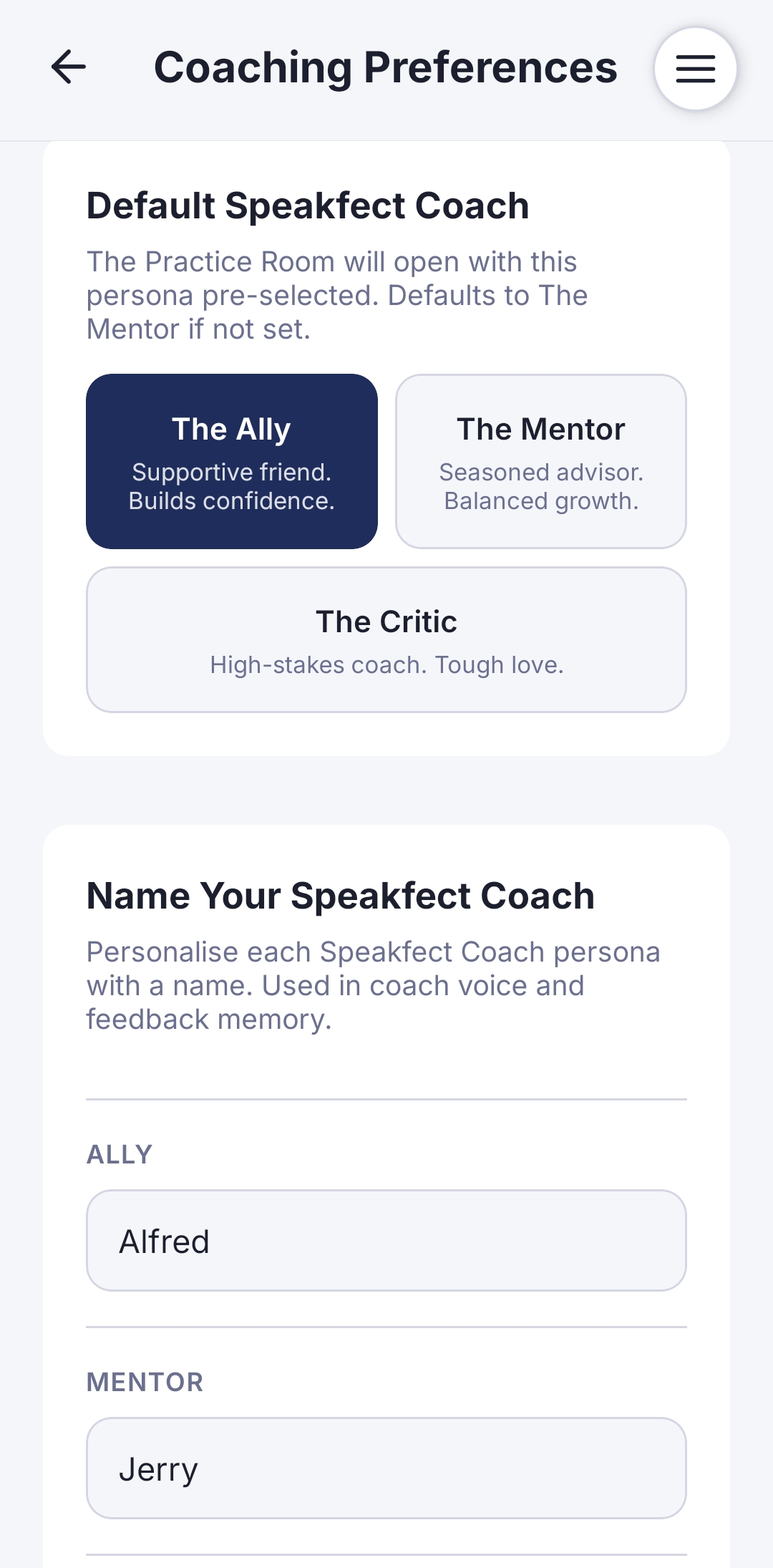
Go to Coaching Preferences and set your default persona to The Ally — supportive, confidence-building feedback. This is the right starting point for anxiety work, where the goal is building a track record of reps that went fine, not maximizing critique.
Then do something most users skip: name your coaches. Give The Ally a name that feels like a supportive friend. This small step makes the AI feel less like a tool and more like a relationship — and that continuity, hearing the same named voice in your feedback every session, helps build the sense of a real coaching bond over time. Move to The Mentor once low-stakes reps stop feeling hard.
Step 5 — Track Reps and See Progress
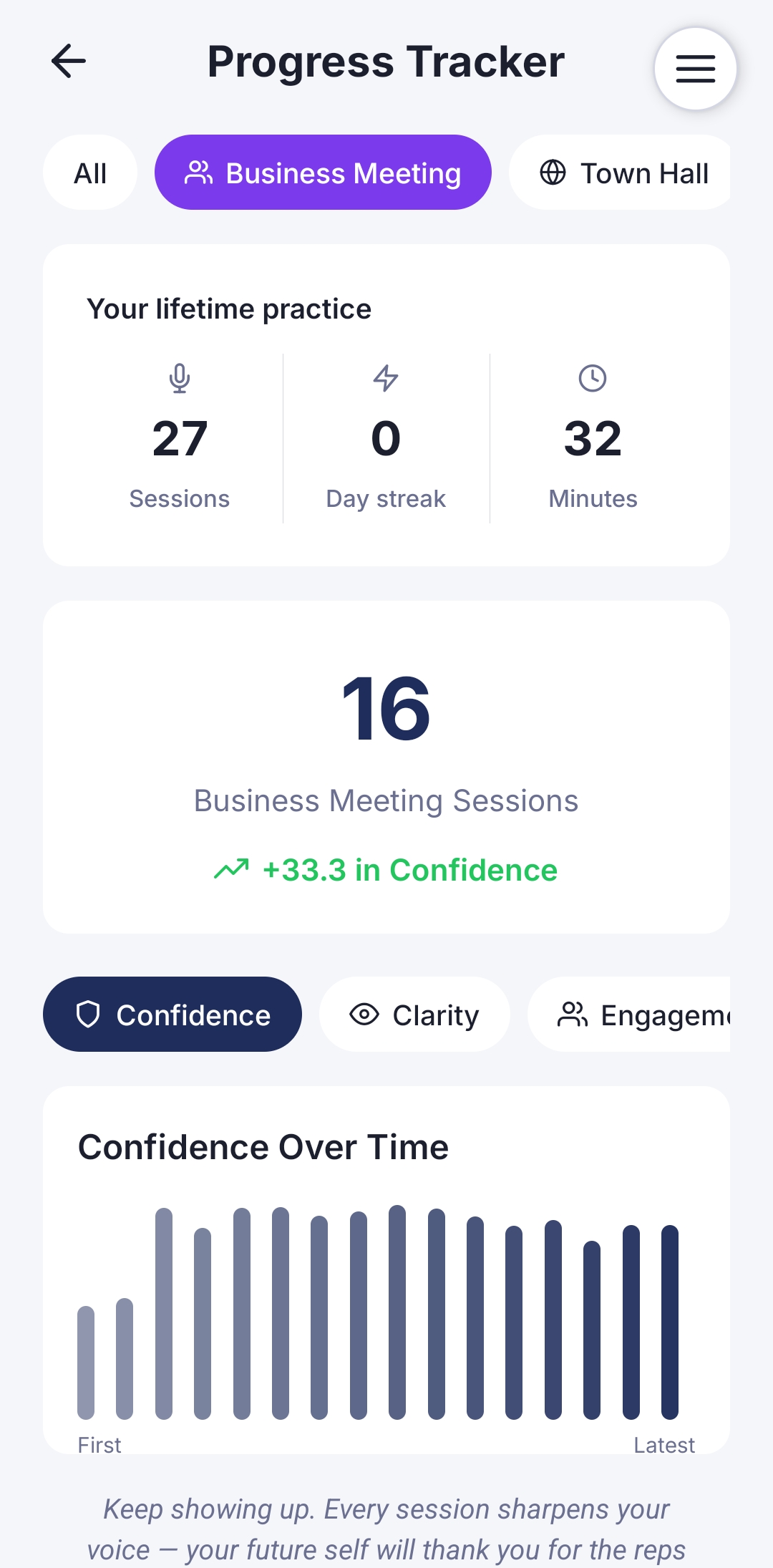
Open Progress Tracker to see the real signal beneath how sessions feel. You'll see your lifetime sessions, day streak, and minutes practiced — plus score trends broken down by Confidence, Clarity, and Engagement over time.
Anxiety makes individual sessions feel unreliable — a good rep can feel bad in the moment, and vice versa. The Confidence Over Time chart is the honest read on what's actually happening across your reps. One bad session doesn't define the trend, and that's the point: progress with anxiety isn't linear, but it is measurable.
Step 6 — Ask your coach
Between sessions, open the Ask Coach feature and talk to your coach directly. Ask clarifying questions like "Why did my confidence score drop in that last session?" or "What should I focus on before my next team meeting?" Your coach remembers your goal context and past sessions, so the answers are specific to your situation — not generic advice.
This step matters more than it looks. Anxiety often lives in the interpretations people place on their own performance. Getting a direct, factual answer from your coach — rather than spiraling on your own — breaks that loop. Use it after any session that felt off.
Step 7 — Points & Achievements
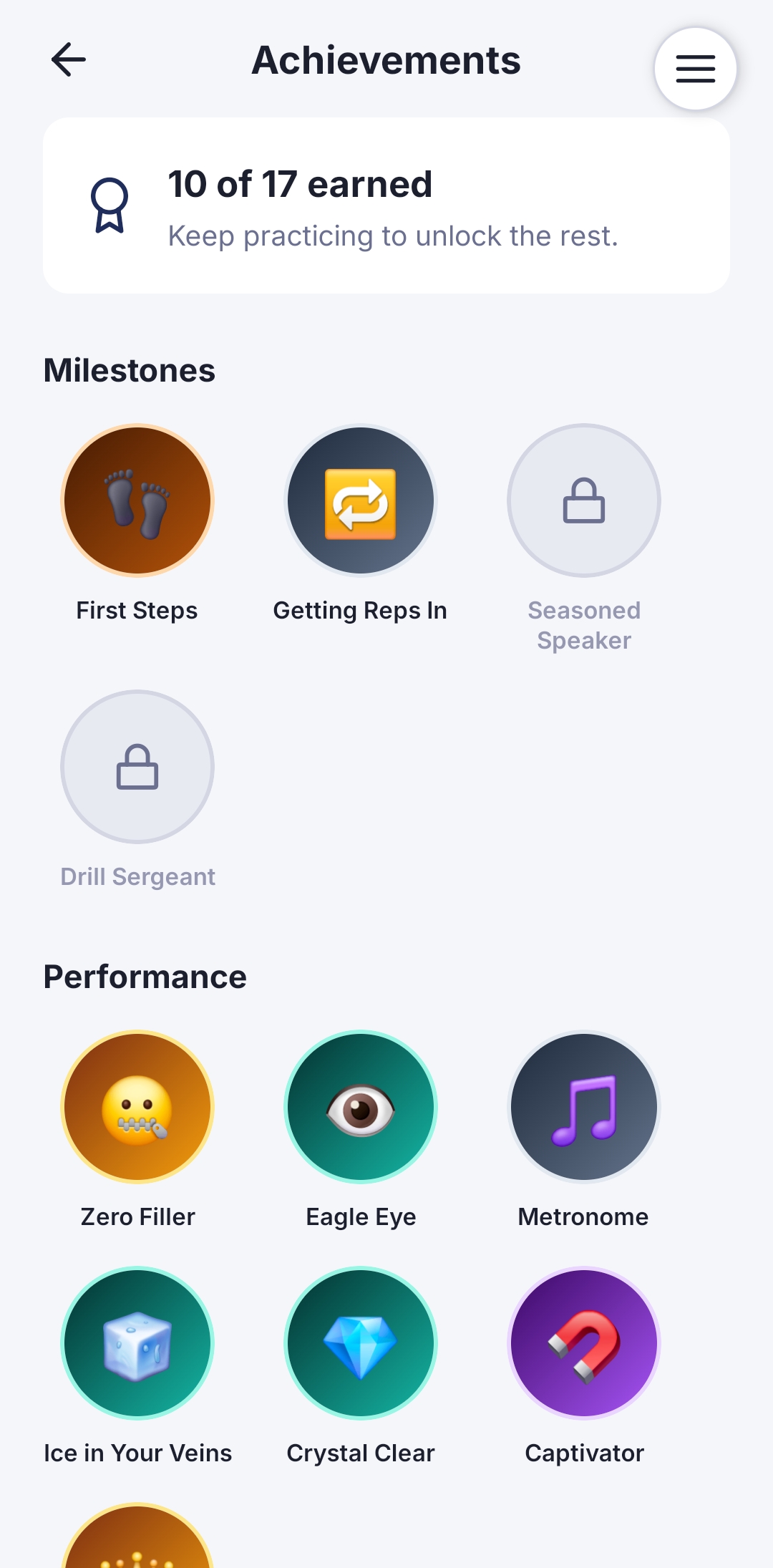
Open Achievements to see your earned milestones — First Steps, Getting Reps In, Zero Filler, Eagle Eye, and more. Each badge is awarded for specific, measurable practice behaviors, not just showing up. They give you a concrete record of what you've already done.
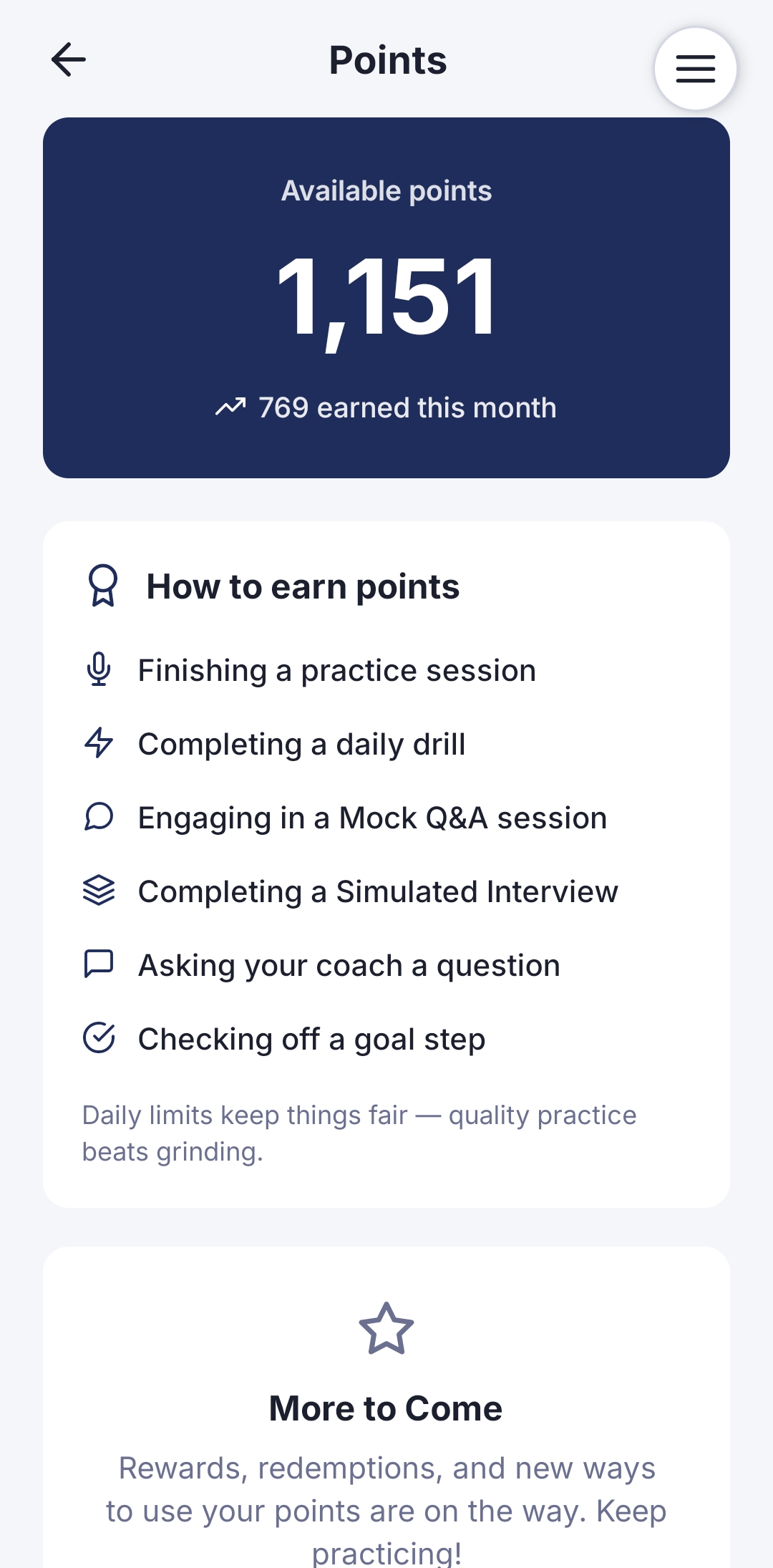
Then check your Points — earned through sessions, drills, coach questions, and goal steps. The points ledger is another anxiety antidote: it shows you the volume of work you've actually put in, which is usually more than it felt like in the moment.
What actually changes with repeated low-stakes practice
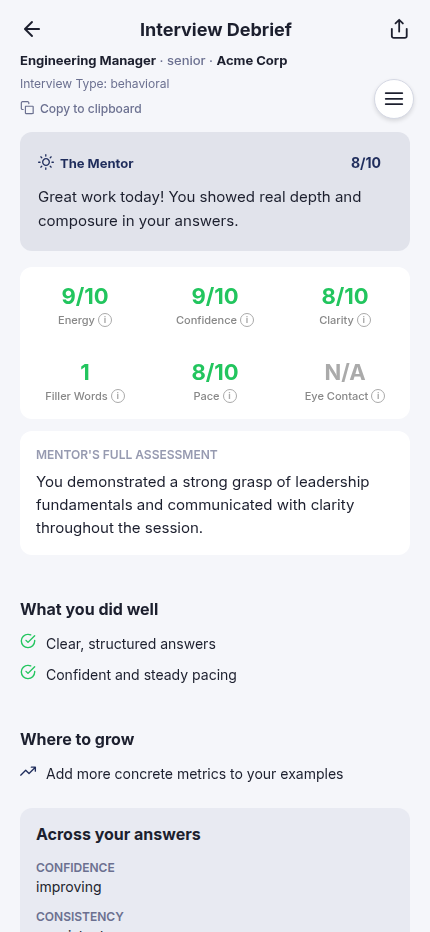
Three things shift measurably over 2–3 weeks of daily short reps: filler words drop as your brain stops treating "speaking" as an emergency, pace steadies because you've built a felt sense of what your own normal pace sounds like, and the physical anxiety response (shaking voice, racing pace) fades faster within each session as your body learns the rep is safe. None of this requires a single high-stakes performance — it comes from volume of low-stakes ones.
Frequently asked
Do I need to record video, or can I just do audio? Front camera plus mic is the default and gives you the most complete feedback, but the point is the rep, not the format. Start wherever feels doable and increase the stakes gradually.
How long before I notice a difference? Most people notice a difference in how a single rep feels within the first week. Measurable changes in filler words and pace typically show up over 2–3 weeks of near-daily short drills.
Is this a substitute for therapy or exposure therapy for severe anxiety? No. If public speaking anxiety is significantly affecting your life, a licensed therapist trained in exposure techniques is the right resource. Speakfect is a practice tool for building comfort through reps, not a clinical treatment.
For more on building comfort speaking under pressure, visit the Fear of Public Speaking hub. Or head back to all How-To Guides.
More in this track
- How To Ace an Interview with SpeakfectA step-by-step walkthrough — with real app screenshots — of using Speakfect to prepare for any interview. We use an Engineering Manager interview as the example: profile, goal, drills, simulated interview, debrief, and progress tracking.
- How To Prepare a Confident Townhall Presentation with SpeakfectA step-by-step walkthrough — with real app screenshots — of prepping a company all-hands in Speakfect: profile, goal plan, drills, custom practice, AI coaching, Mock Q&A across four audience types, and progress tracking.
- How To Practice Your Best Man Speech with SpeakfectA step-by-step walkthrough — with real app screenshots — of rehearsing a best man speech in Speakfect: set your goal, practice on camera, read your score, and improve round by round.