
How To Practice Your Best Man Speech with Speakfect
A step-by-step walkthrough — with real app screenshots — of rehearsing a best man speech in Speakfect: set your goal, practice on camera, read your score, and improve round by round.
Published Updated
A best man speech only goes wrong one way: it sounded great in your head, but the moment you stood up, the words scrambled, your pace ran away, and the punchline got buried in "um"s. Here is how to fix that before the reception — using Speakfect to rehearse on camera, get instant coaching feedback, and track exactly how you improve across multiple takes.
Download on the App Store → Get it on Google Play →
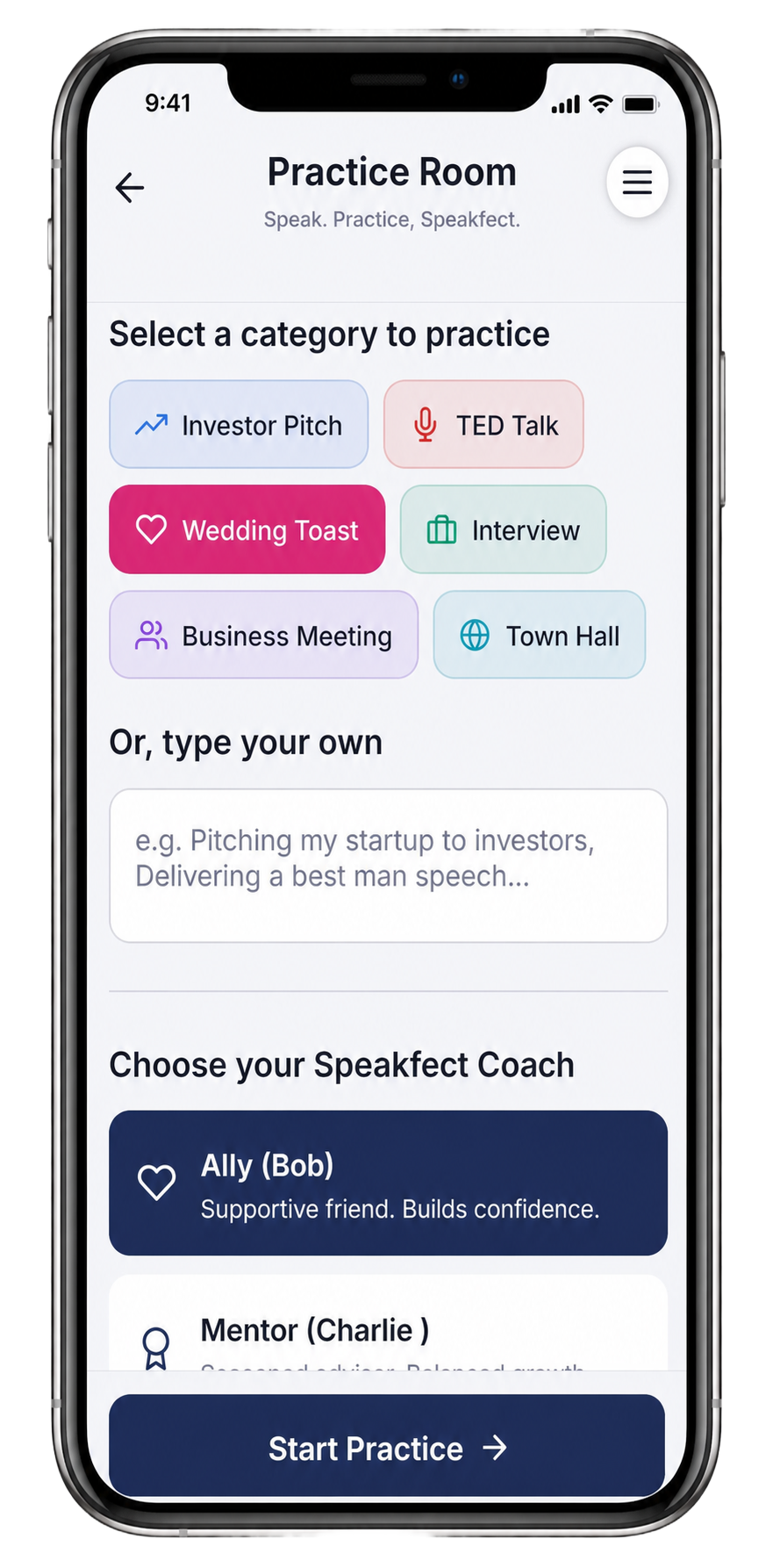
Step 1 — Open the Practice Room and tap "Wedding Toast"
Open Speakfect and go to the Practice Room. You will see a grid of categories: tap Wedding Toast. You can also type a custom prompt in the "Or, type your own" box below — something like "Delivering a best man speech at my brother's wedding for 100 guests" — if you want the AI to tailor the session around your specific moment.
Below the category picker, choose your Speakfect Coach. For a personal, high-emotion speech like a wedding toast, The Ally is the right call — supportive, confidence-building feedback that helps you own the room rather than pick apart your delivery. Tap Start Practice when you are ready.
Step 2 — Set your goal in the Goal Plan
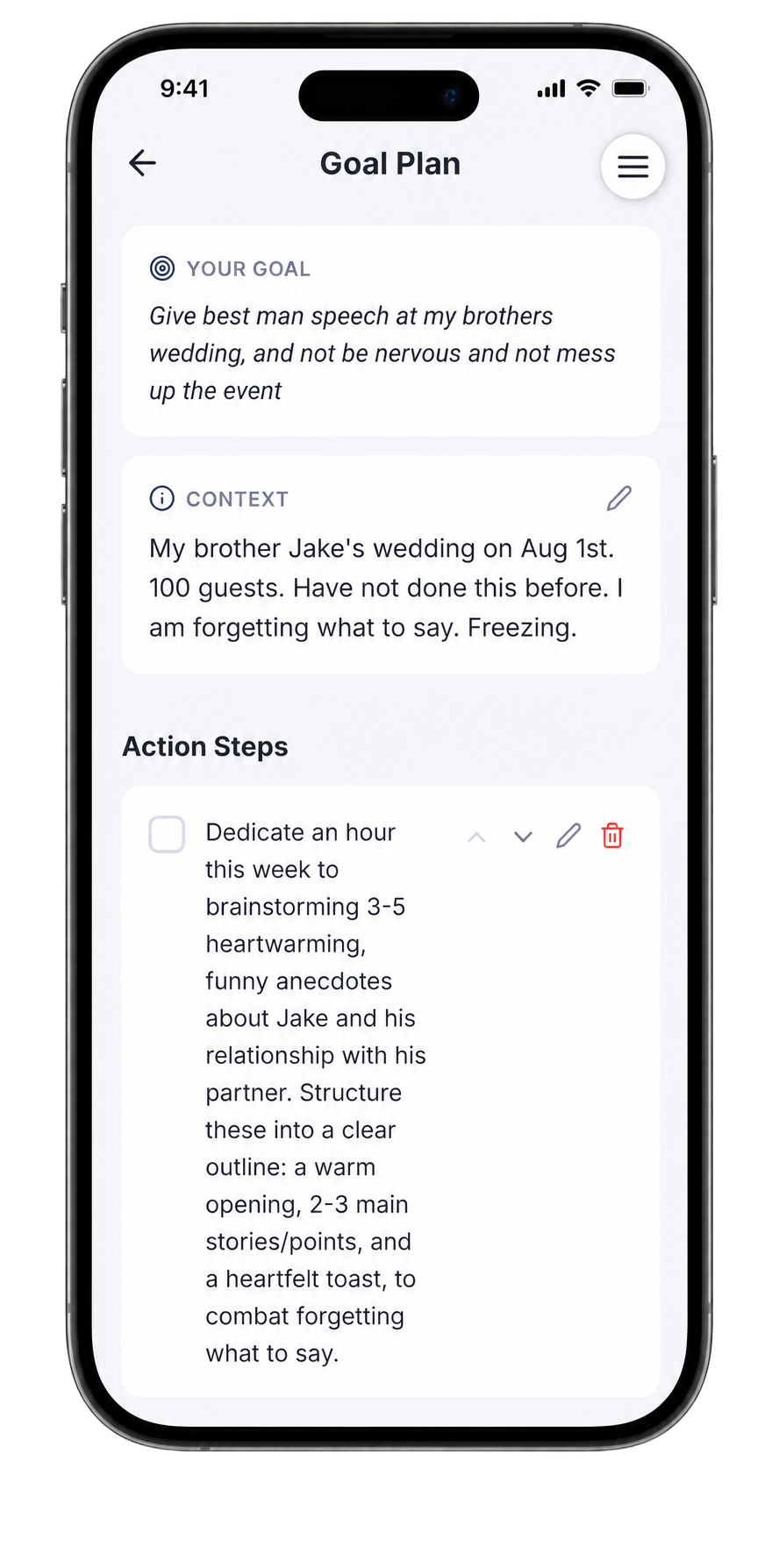
After selecting your category, Speakfect opens the Goal Plan screen. Write your goal in plain language — exactly like you would say it to a friend. For a best man speech, something like:
"Give best man speech at my brother's wedding, and not be nervous and not mess up the event"
Then fill in the Context box with the real details: the date, the venue, the number of guests, and what specifically worries you. The more honest you are, the more targeted the AI's action steps will be.
Speakfect reads your goal and context and generates a concrete Action Steps checklist for you — things like brainstorming 3–5 specific anecdotes, structuring a warm opening, 2–3 main points, and a heartfelt toast line. These are your practice homework between sessions.
Step 3 — Personalise your coach (optional but worth 30 seconds)
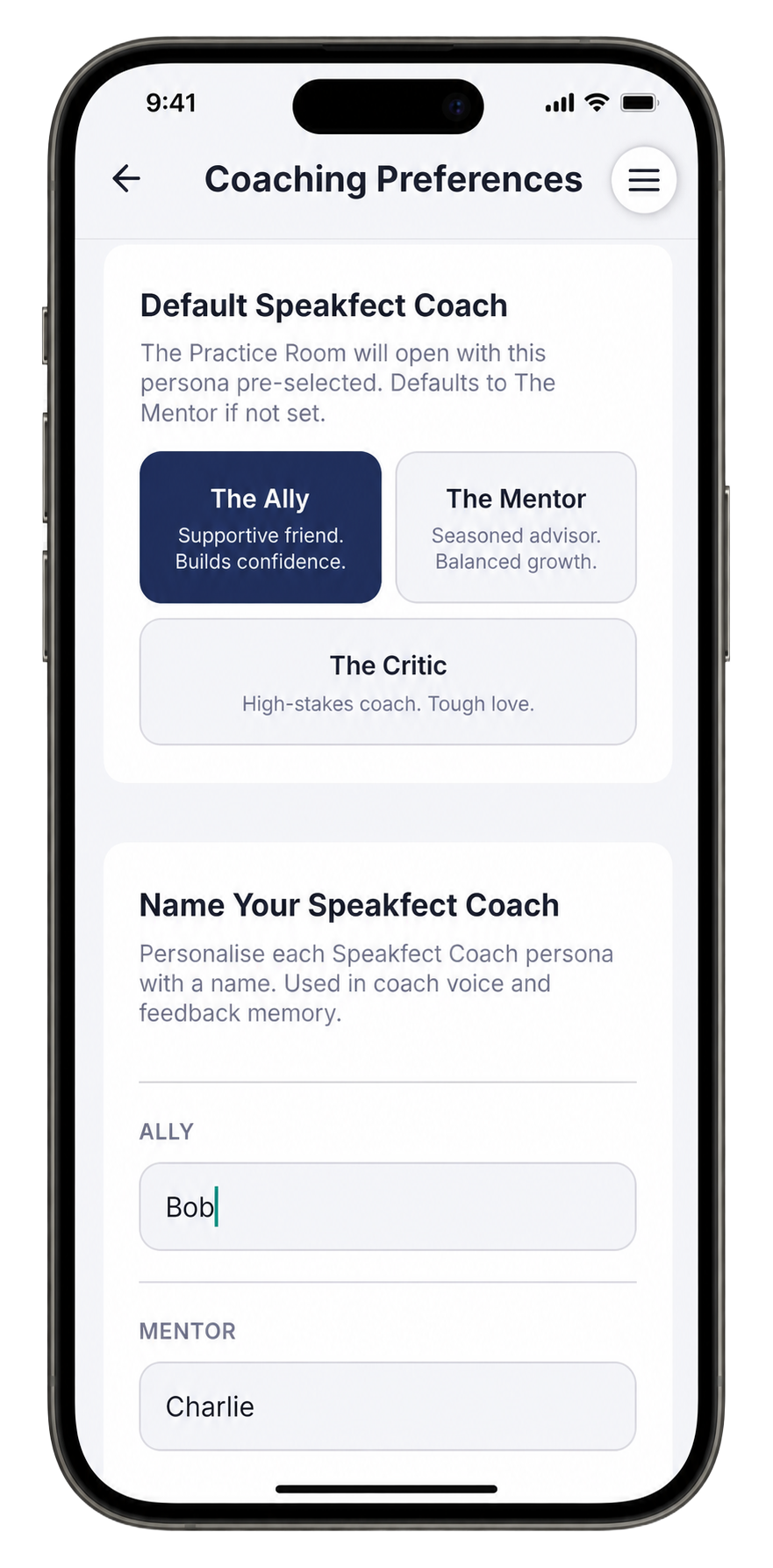
Head into Coaching Preferences to give your coach a name. This sounds minor but it changes how feedback reads — instead of generic labels, you get notes that feel like they come from a real person you know.
Set The Ally as your default, and give them a name you'll remember. The app keeps that name consistent across all your feedback, so every session builds on the last one.
Step 4 — Record your first take and read your score
Go back to the Practice Room, hit Start Practice, and deliver your toast as if you are standing up at the reception. Keep going even if you stumble — that is exactly the pressure the app is training you to handle. When you reach your final line, tap stop.
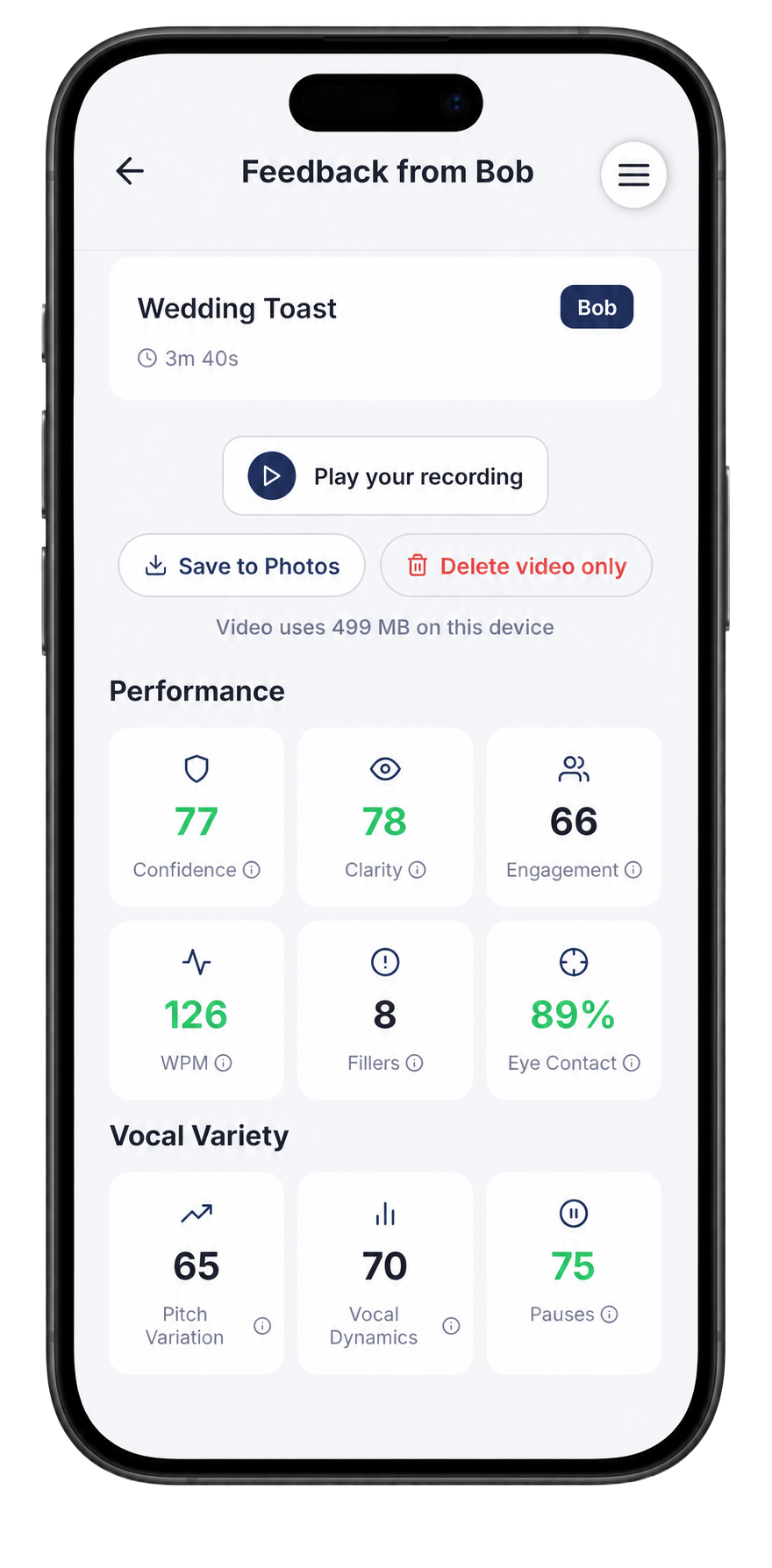
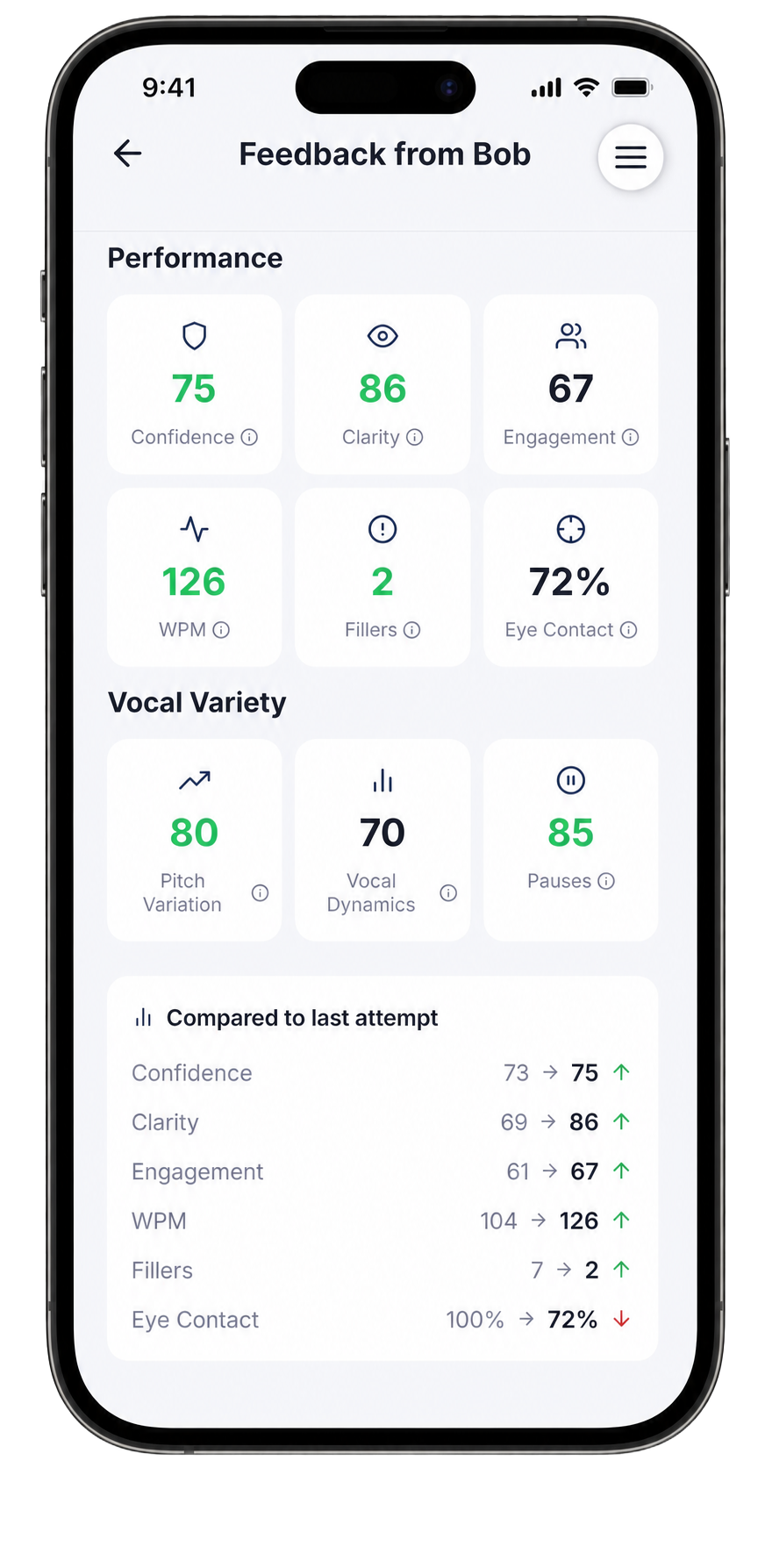
Speakfect scores your performance immediately across six metrics:
- Confidence — how assured and grounded your delivery sounds
- Clarity — how cleanly you articulate every word
- Engagement — energy, enthusiasm, and emotional connection
- WPM — your words-per-minute pace
- Fillers — "um", "uh", "like", and "you know" count
- Eye Contact — how much you look at the camera (your stand-in for the room)
Plus three Vocal Variety scores: Pitch Variation, Vocal Dynamics, and Pauses — the mechanics that make the funny moments land and the heartfelt ones hit.
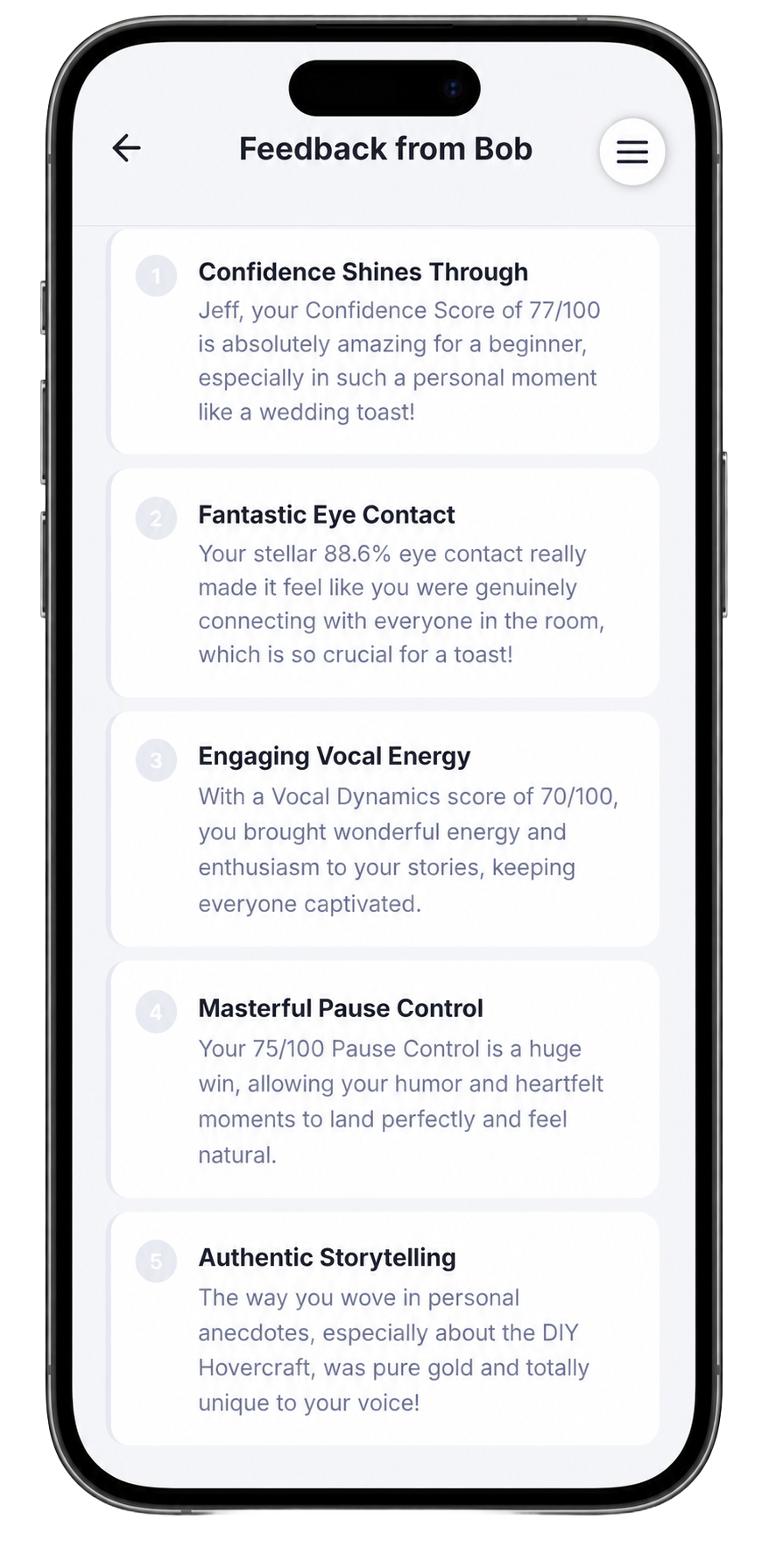
Scroll down to the Summary tab to read what your coach actually noticed. After a first take, you will typically see genuine strengths called out — eye contact, storytelling instincts, vocal energy — alongside the one or two things that need work before the next take.
Step 5 — Follow the Action Plan for your next take
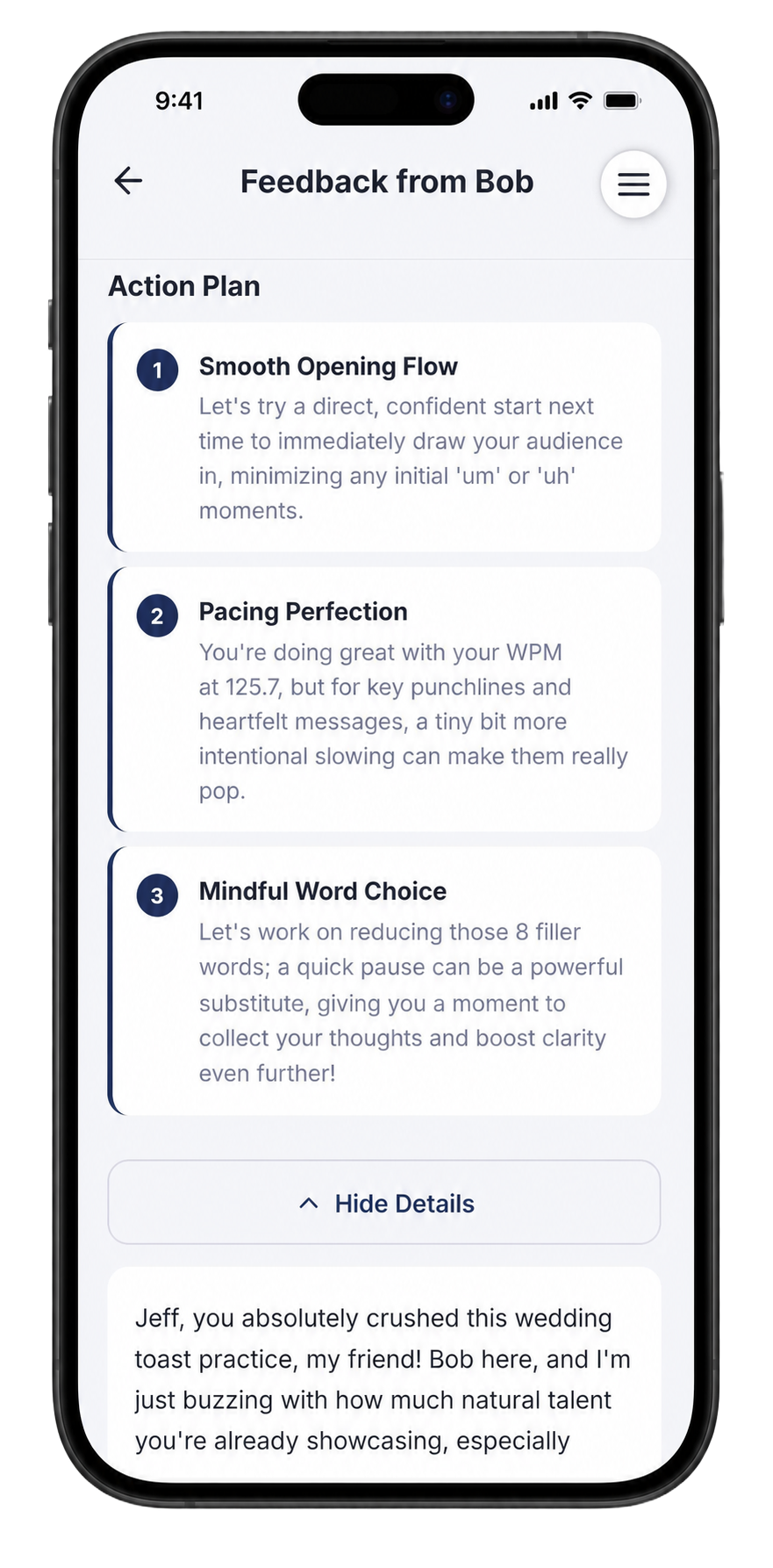
Switch to the Action Plan tab. This is where the coaching gets specific. Rather than vague advice, you get three numbered focuses for your next recording — things like:
- Smooth Opening Flow — start direct and confident to immediately pull the audience in, cutting any opening "um" or "uh" moments
- Pacing Perfection — you are hitting a good WPM, but slow down intentionally for punchlines and heartfelt lines so they pop
- Mindful Word Choice — replace filler words with a deliberate pause; it sounds more confident and buys you a breath
Read each one, then scroll down to read the full written coaching note — a paragraph of personalised feedback in your coach's voice, referencing your specific stories and moments from the take.
Take a short break, run through your speech quietly once with the action plan in mind, then go back to the Practice Room for another take.
Step 6 — Repeat until the scores move — they will
After two or three takes following the action plan, come back to your scores. The Compared to last attempt table shows exactly where you moved and by how much:
| Metric | Before | After |
|---|---|---|
| Confidence | 73 | 75 ↑ |
| Clarity | 69 | 86 ↑ |
| Engagement | 61 | 67 ↑ |
| WPM | 104 | 126 ↑ |
| Fillers | 7 | 2 ↑ |
| Eye Contact | 100% | 72% ↓ |
Clarity jumping from 69 to 86 is a big gain — that is your articulation locking in. Fillers dropping from 7 to 2 means your pauses are landing as intended. Eye contact dipping slightly is common as you focus on delivery mechanics; it comes back up once the speech feels automatic.
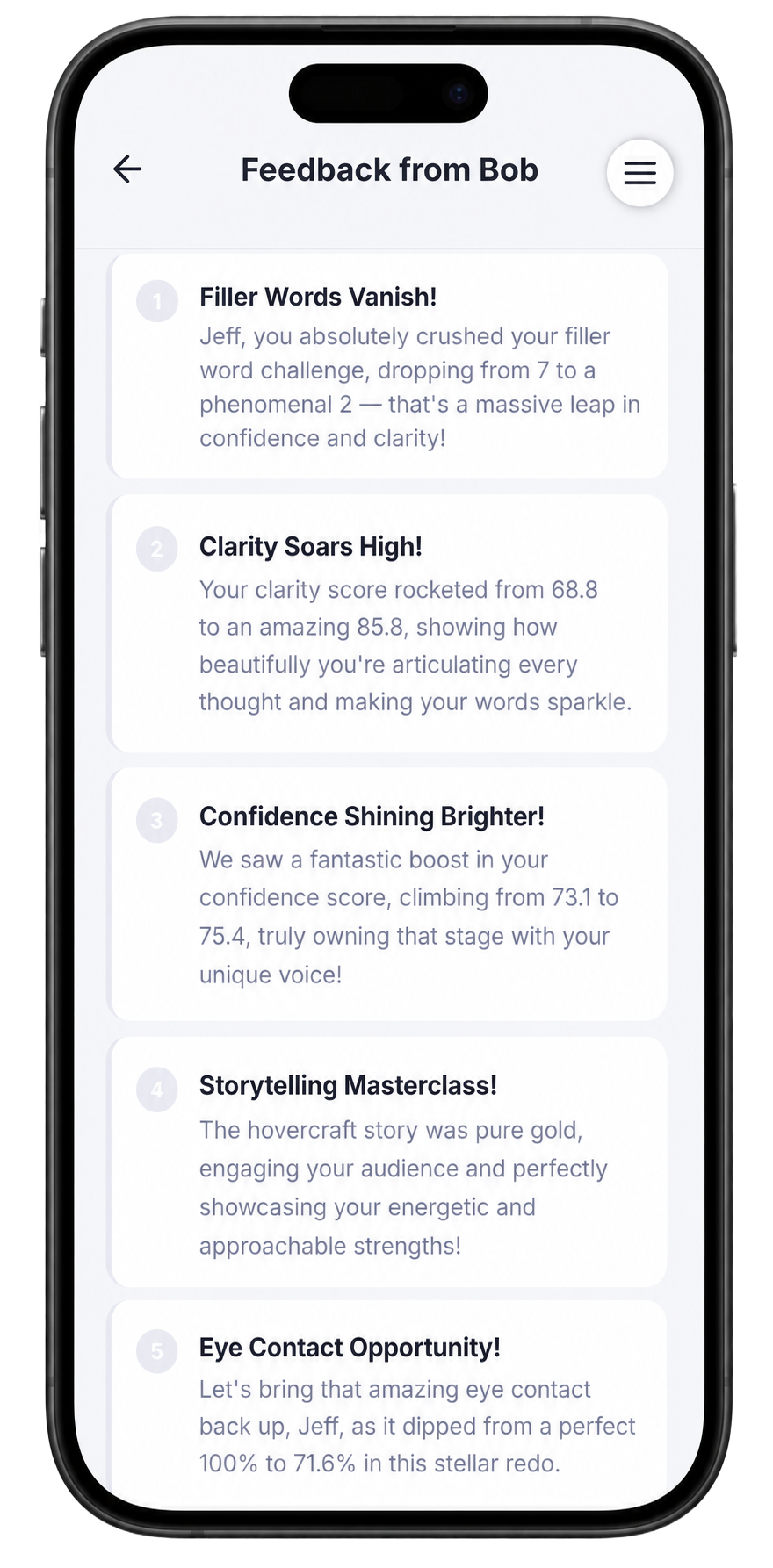
The summary on your third take tells the story of how far you have come — filler words gone, clarity sky-high, storytelling locked in — and flags the one next thing to keep working on.
Most people are noticeably better by their third take. After five sessions spread over a week, the speech stops feeling like something you are trying to remember and starts feeling like something you just say.
The structure that actually works, timed
A best man speech that lands is 2–3 minutes — one specific story (not three), a warm opening that names the couple, and a direct toast at the end. Every extra minute is another chance to lose the room. Run your draft against the timer in Speakfect before you touch the final copy; the rhythm tells you more than reading it on paper ever will.
Frequently asked
How long should a best man speech be? 2 to 3 minutes. Every extra minute is a chance to lose the room.
What if I blank on the day? That is exactly what the Practice Room trains — one-take pressure, on camera, days before it matters. By the time you stand up at the reception, your brain has already done the moment several times.
Can I paste my written speech into the app? Yes — paste or type it into the "Or, type your own" box in the Practice Room, or just hit record and work from bullet points if you prefer to keep it loose and natural.
Which coach is best for a wedding toast? Start with The Ally — encouraging, warmth-focused feedback that builds your confidence for a personal speech. Once the speech feels solid, do one final take with The Critic for a harder look at anything that might still slip on the day.
Ready to go deeper? Visit the Wedding Toasts hub for speech examples and timing guides. Or head back to all How-To Guides.
More in this track
- How To Ace an Interview with SpeakfectA step-by-step walkthrough — with real app screenshots — of using Speakfect to prepare for any interview. We use an Engineering Manager interview as the example: profile, goal, drills, simulated interview, debrief, and progress tracking.
- How To Overcome Fear of Public Speaking with SpeakfectA step-by-step walkthrough — with real app screenshots — of using Speakfect to build public speaking confidence: profile, goal, drills, coach, and progress tracking.
- How To Prepare a Confident Townhall Presentation with SpeakfectA step-by-step walkthrough — with real app screenshots — of prepping a company all-hands in Speakfect: profile, goal plan, drills, custom practice, AI coaching, Mock Q&A across four audience types, and progress tracking.