
How To Prepare a Confident Townhall Presentation with Speakfect
A step-by-step walkthrough — with real app screenshots — of prepping a company all-hands in Speakfect: profile, goal plan, drills, custom practice, AI coaching, Mock Q&A across four audience types, and progress tracking.
Published Updated
A company townhall has two parts that get rehearsed very unevenly. The prepared remarks, which most executives practice. And the open Q&A afterward, which almost nobody does — and that is usually where it goes sideways. Here is a full eight-step walkthrough for prepping both in Speakfect, with real screenshots from the app.
Download on the App Store → Get it on Google Play →
Step 1 — Set up your profile so the coaching is calibrated for you
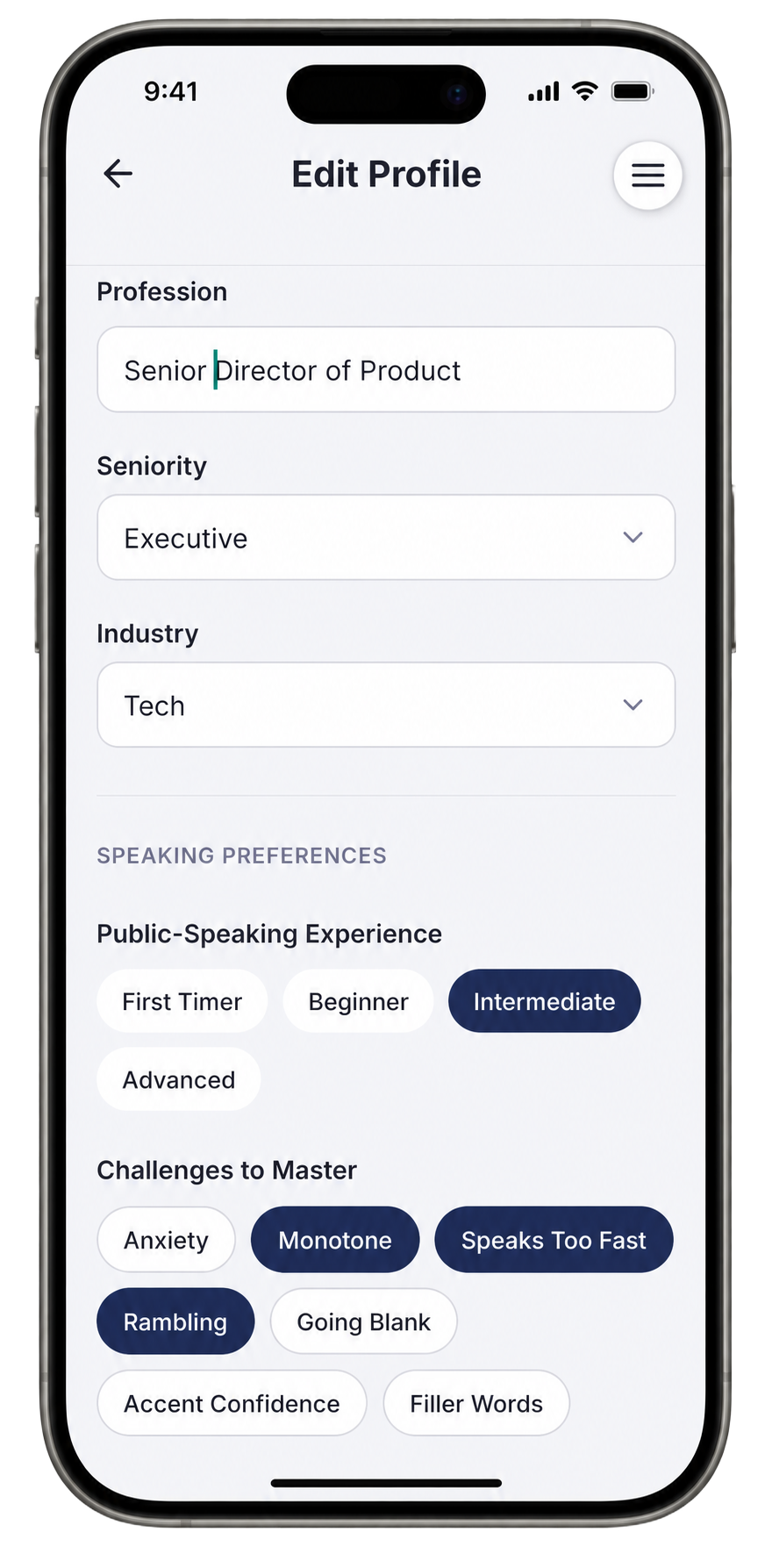
Open Edit Profile and fill in your profession, seniority, and industry. For a townhall, this matters more than it does for casual practice: when Speakfect knows you are a Senior Director of Product presenting to 300 people at an executive level, the feedback uses the right frame. It does not coach you like a first-timer at a beginner meetup.
Scroll down to Speaking Preferences and tick the challenges you actually face. If you speak too fast, ramble under pressure, or go monotone when covering complex information — select those. The coaching and drills target those specific patterns across every session.
Step 2 — Write your goal, then unlock your drills
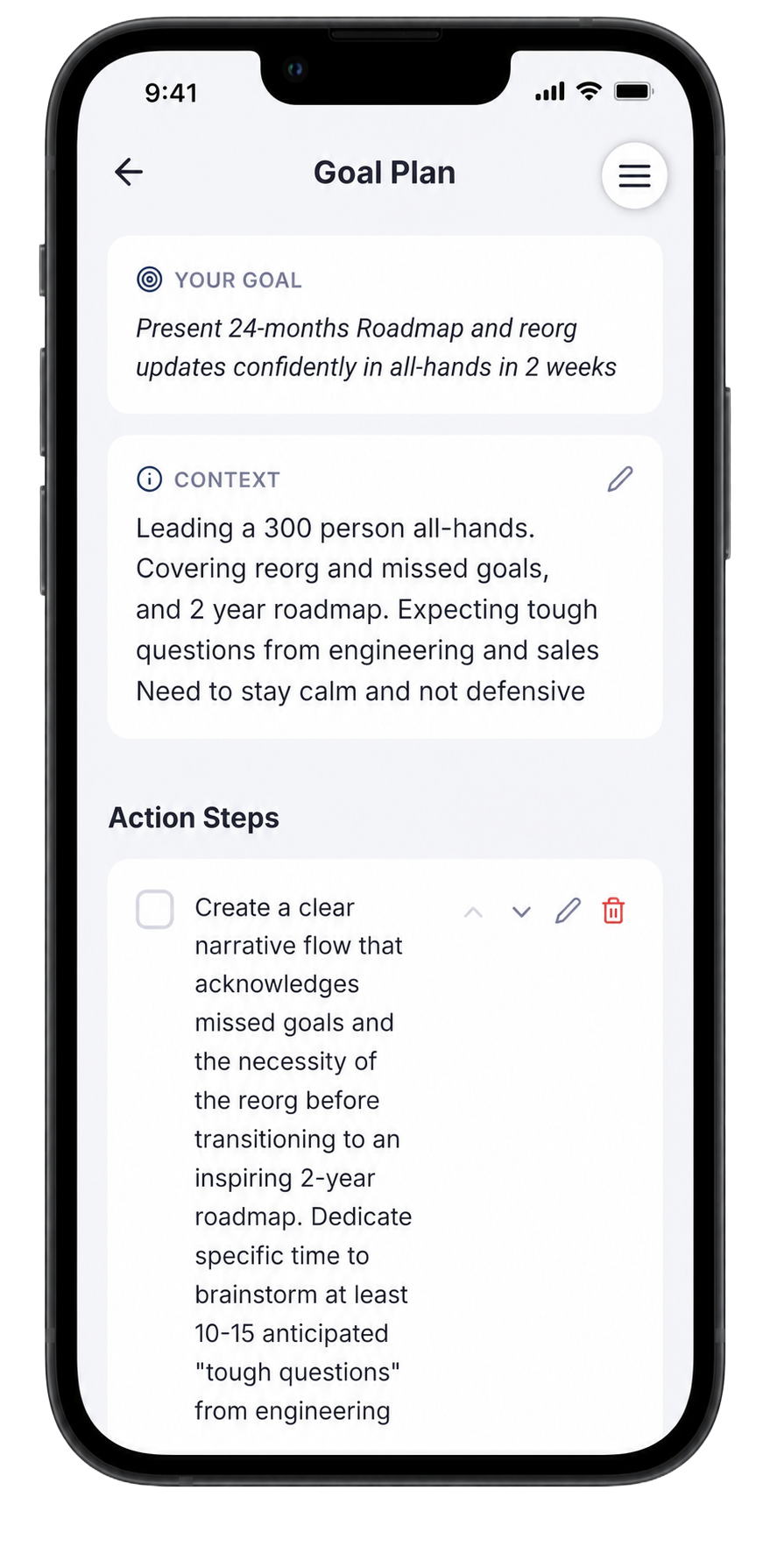
On the Goal Plan screen, write your goal in plain, specific language — not "be better at presenting" but what is actually happening:
"Present 24-months Roadmap and reorg updates confidently in all-hands in 2 weeks"
Then fill in the Context box with the real situation. For a townhall covering a reorg and missed goals, that context is high-stakes: 300 people, tough questions expected from engineering and sales, the need to stay calm and non-defensive. The AI reads all of it and generates a specific action-step checklist — things like brainstorming 10–15 anticipated tough questions, creating a narrative flow that acknowledges missed goals before pivoting to the roadmap, and practicing transitions between the reorg news and the two-year vision.
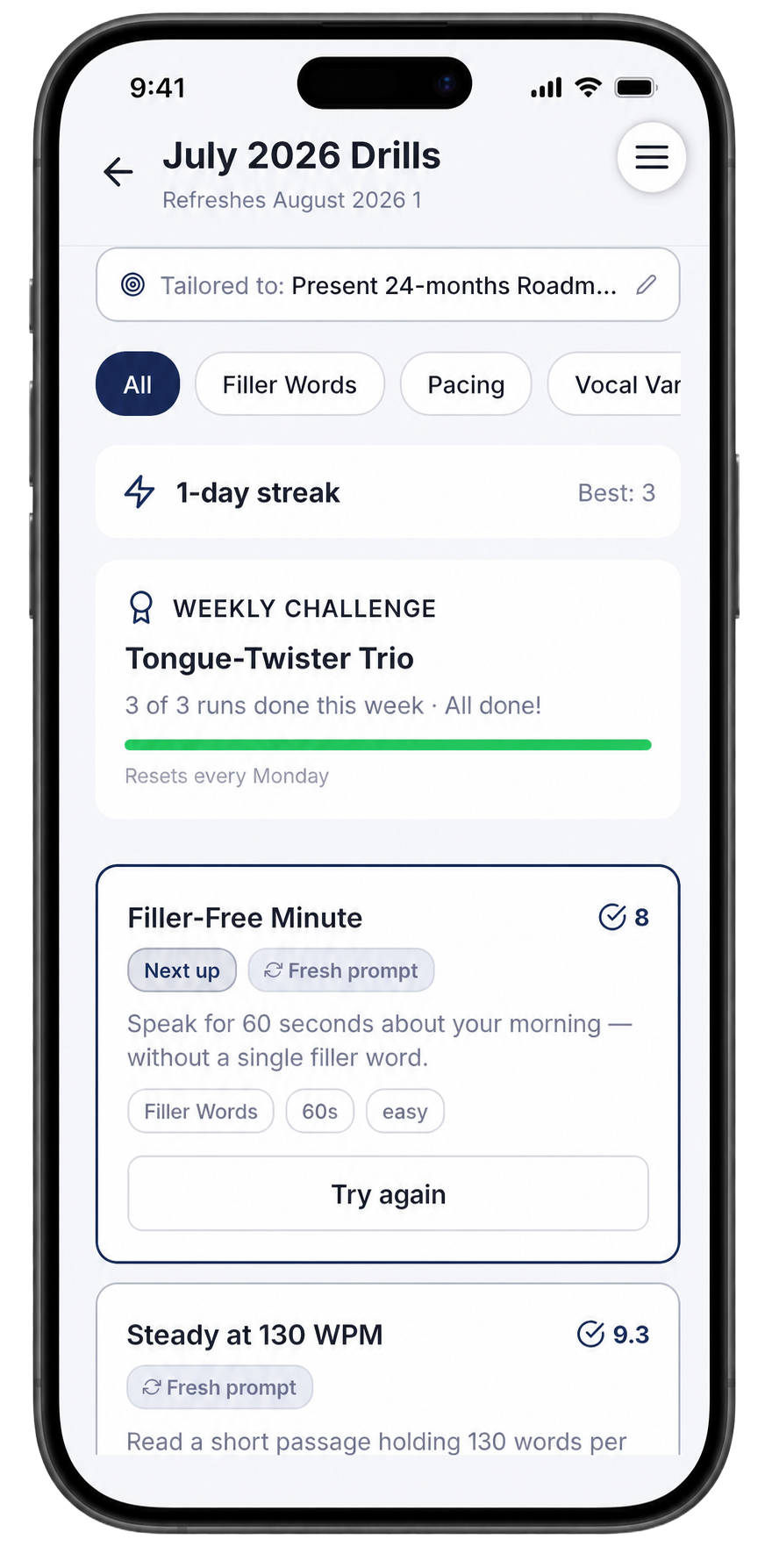
With a goal saved, the Drills tab immediately fills with short daily reps tailored to your specific challenges. The July set shown here includes a Filler-Free Minute (speak for 60 seconds without a single filler word) and a Steady at 130 WPM drill — both directly targeting the pace and filler habits flagged in the profile. The weekly challenge tracks streaks so the reps stay consistent in the days between full rehearsals.
Step 3 — Set up the Practice Room with your exact scenario
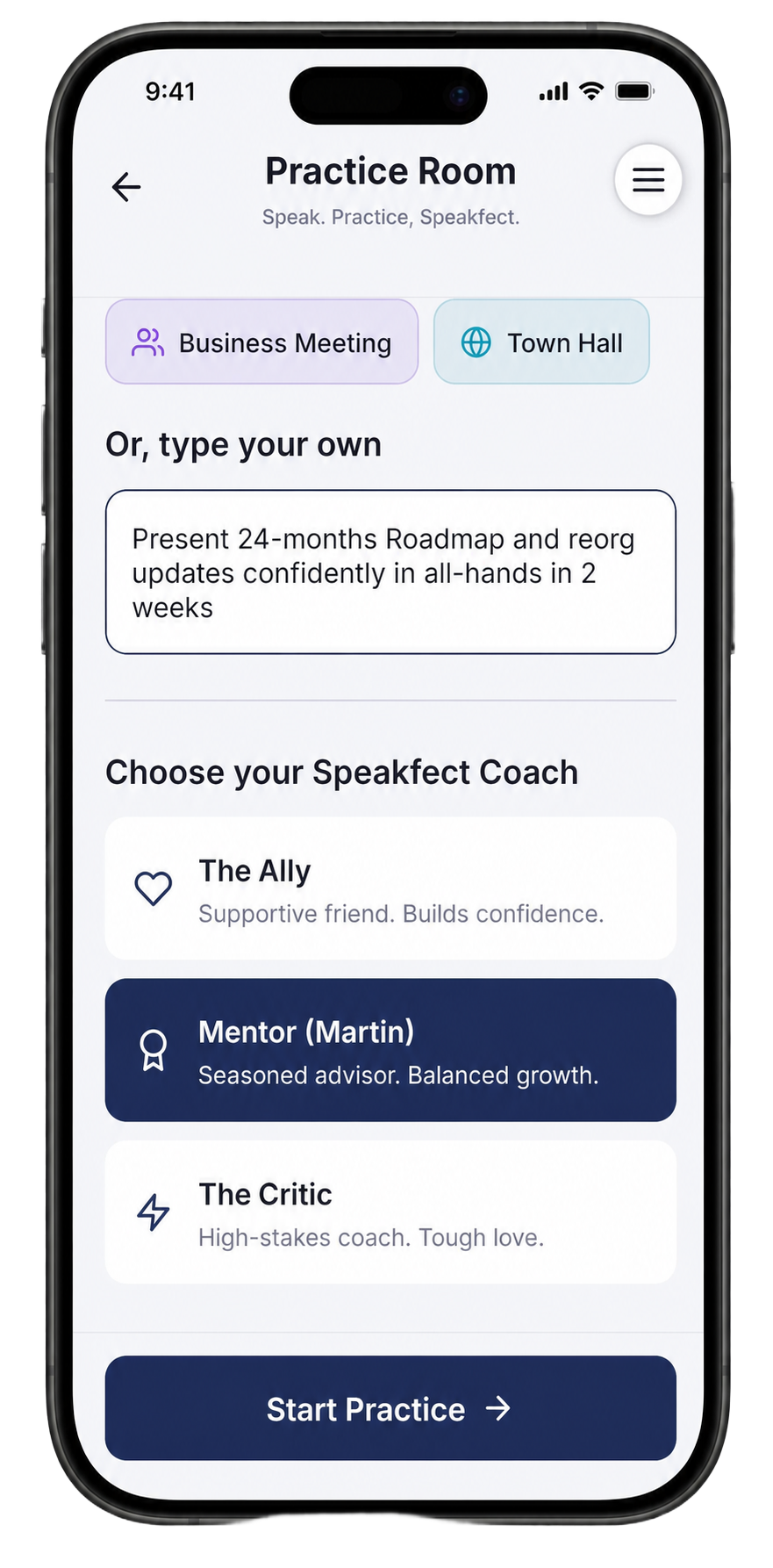
Open the Practice Room and instead of tapping a preset category, use the "Or, type your own" box. Type your actual scenario verbatim:
"Present 24-months Roadmap and reorg updates confidently in all-hands in 2 weeks"
This is Custom VIBE — the practice session is calibrated to your exact prompt, not a generic townhall template. Then choose your coach. For a high-stakes executive presentation, The Mentor (Martin) is the right pick: balanced, direct feedback that addresses both content and delivery without softening the hard truths.
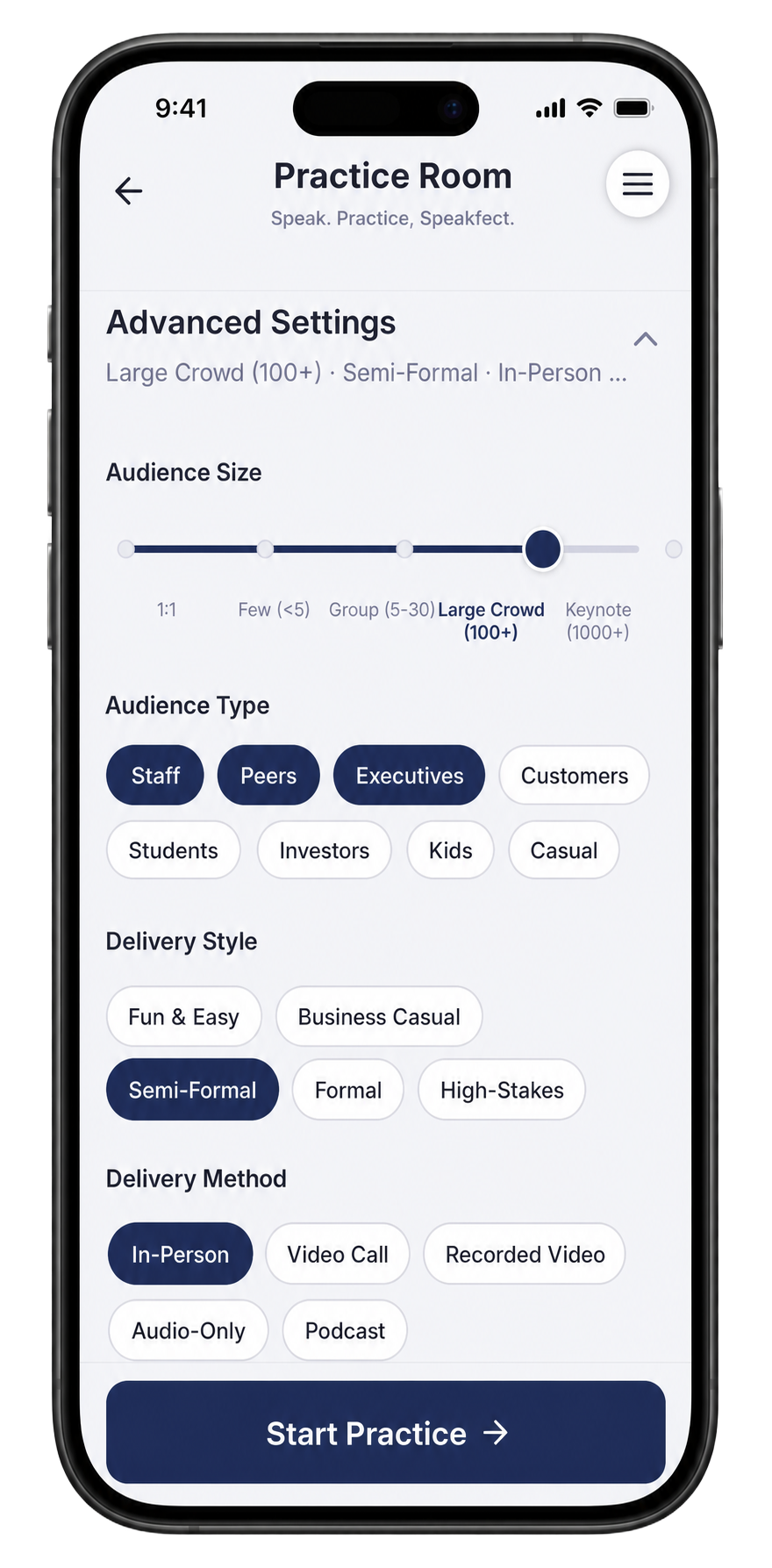
Tap Advanced Settings before starting. This is where you match the session to the real room conditions. Set Audience Size to Large Crowd (100+), select your Audience Type (Staff, Peers, Executives — all three for an all-hands), Delivery Style to Semi-Formal, and Delivery Method to In-Person. Every one of these settings shapes how the coaching interprets your recording and what standards it holds you to.
Step 4 — Record your first session and read every number
Hit Start Practice and deliver your presentation as if you are standing in front of the room. Keep going even when you stumble — that is the data you need.
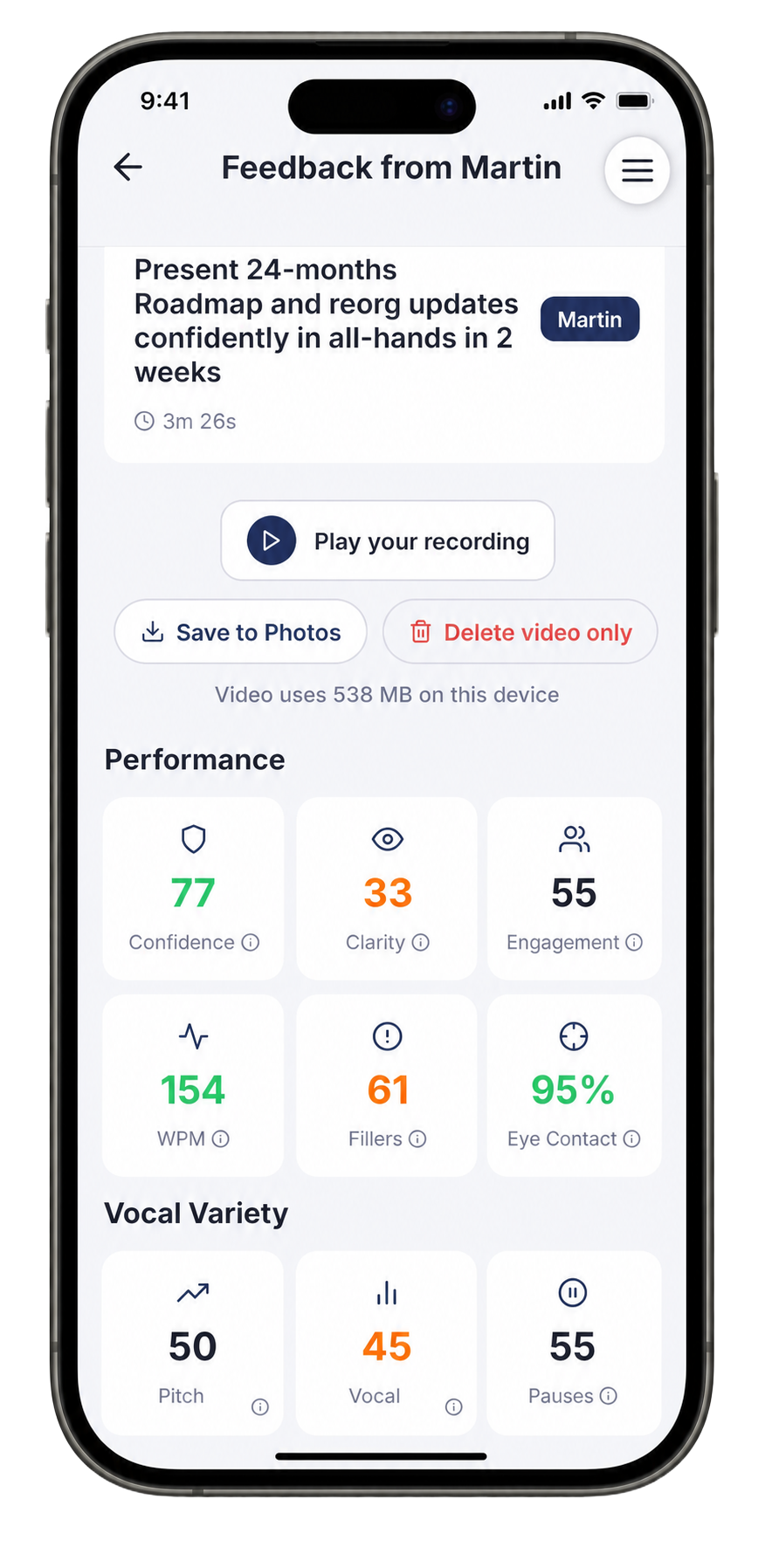
After the session, your scores load immediately. Your first take often tells an honest story: strong confidence and eye contact because your material is solid, but Clarity crashing because pace is running away. The screenshot below shows exactly that — Confidence 77, Eye Contact 95%, but Clarity 33, WPM 154, and 61 filler words. That is not a failure, that is a diagnostic. You now know precisely what to fix.
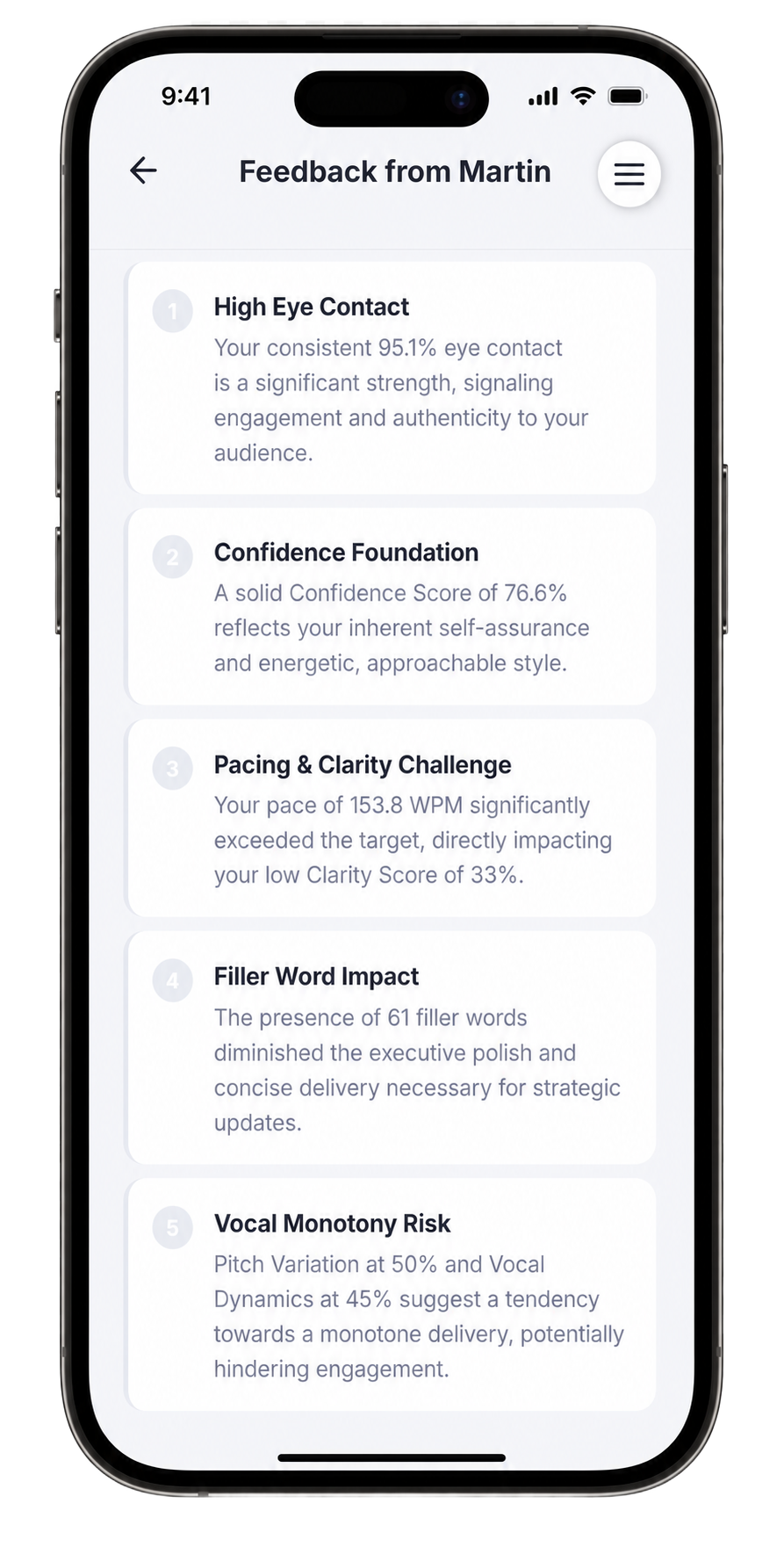
Scroll to the Summary tab to read what the coach observed in narrative form. The feedback names the specific things working — 95% eye contact, confident delivery energy — and the specific things dragging the score down: 153.8 WPM pace directly causing the clarity collapse, 61 filler words undermining executive polish, and vocal monotony from flat pitch variation.
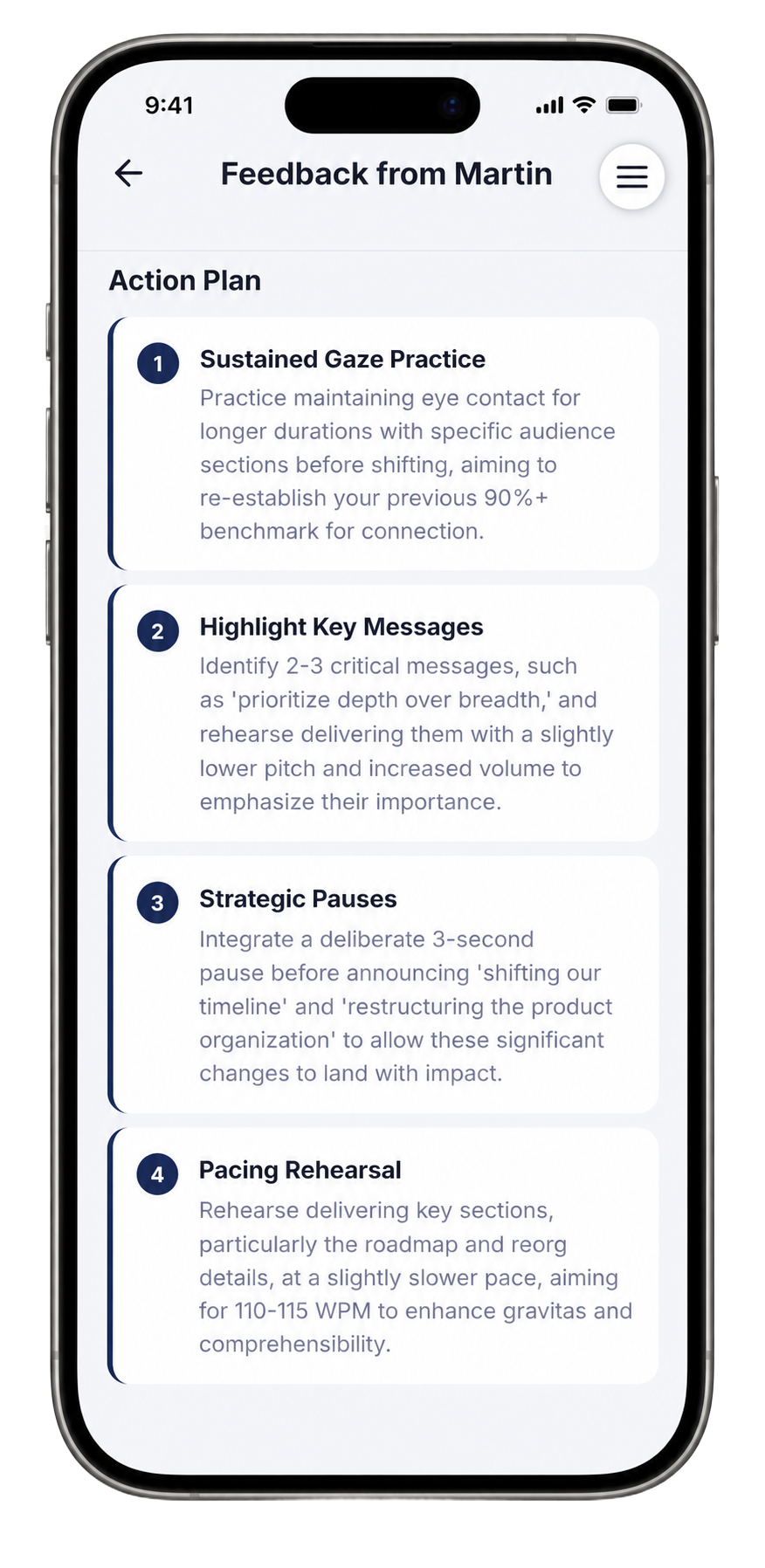
Switch to the Action Plan tab. This is where the session turns into next-session work. Four numbered focuses for the next recording: sustain eye contact for longer durations before shifting gaze, identify and rehearse 2–3 key messages at a slightly lower pitch and higher volume, integrate deliberate 3-second pauses before announcing major changes like the timeline shift and reorg, and target 110–115 WPM for the roadmap and reorg sections specifically.
Step 5 — Ask the Coach anything about your session
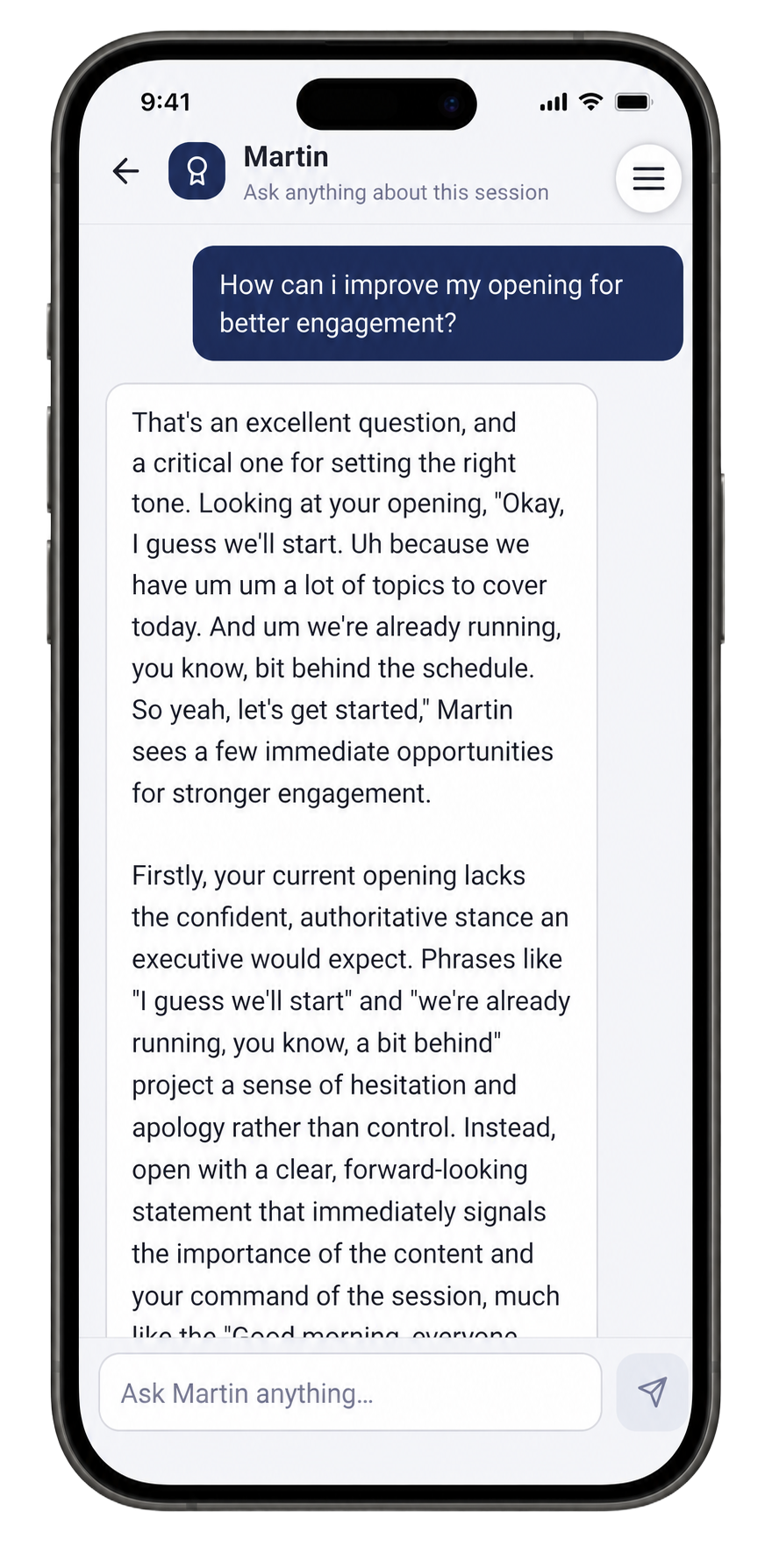
After each session, the Ask the Coach chat is open. This is one of the most powerful parts of Speakfect — ask specific questions about your recording, your transcript, or your scores. The coach answers with direct reference to what actually happened in your session, not generic advice.
"How can I improve my opening for better engagement?" Martin quoted the actual opening from the transcript — "Okay, I guess we'll start. Uh because we have um um a lot of topics to cover today..." — and explained exactly why that projects hesitation rather than command. Then gave a concrete replacement structure.
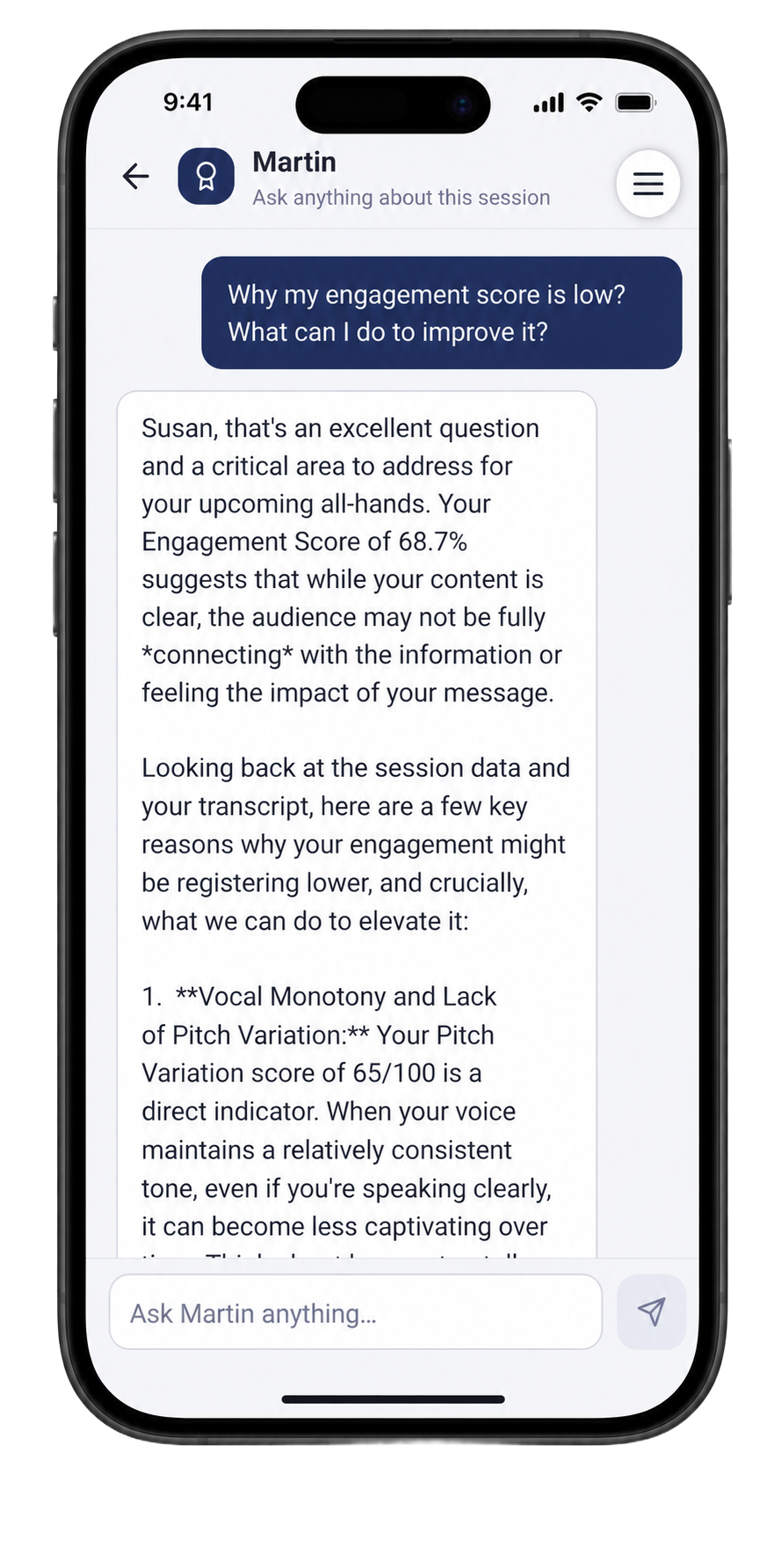
"Why is my engagement score low? What can I do to improve it?" Martin connected the low Engagement score directly to a Pitch Variation score of 65/100, explained that vocal monotony makes content feel less captivating over time even when clarity is high, and listed specific techniques grounded in that exact session's content and the all-hands context.
"My vocal dynamics score is low. What techniques can I use to improve it?" Martin referenced the session numbers directly — Vocal Dynamics 55/100, Pitch Variation 50/100 — and explained that improving this is not about sounding dramatic. It is about using the voice strategically to emphasize key roadmap points and maintain engagement through the complex information sections specific to this presentation.
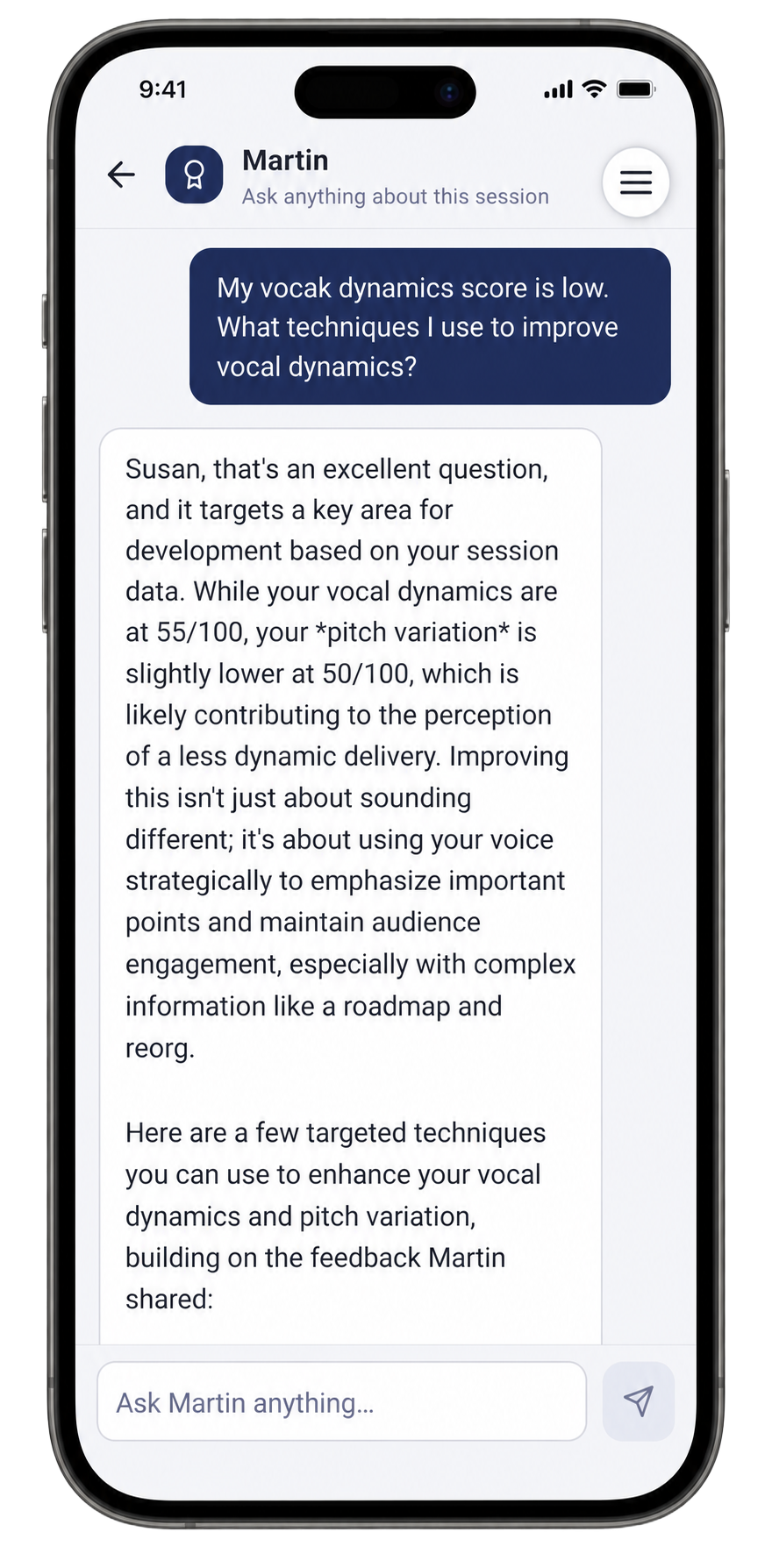
Each answer is grounded in your actual recording and transcript, not a generic template. The more specific your question, the more targeted the answer.
Step 6 — Stress-test the Q&A with Mock Q&A across all four audience types
This is the step that separates a rehearsed presenter from an unprepared one. Open Mock Q&A and run your townhall content against different audience personas. Each one generates questions based on your actual prompt, so the questions are specific to your roadmap, your reorg, and your context — not generic corporate placeholders.
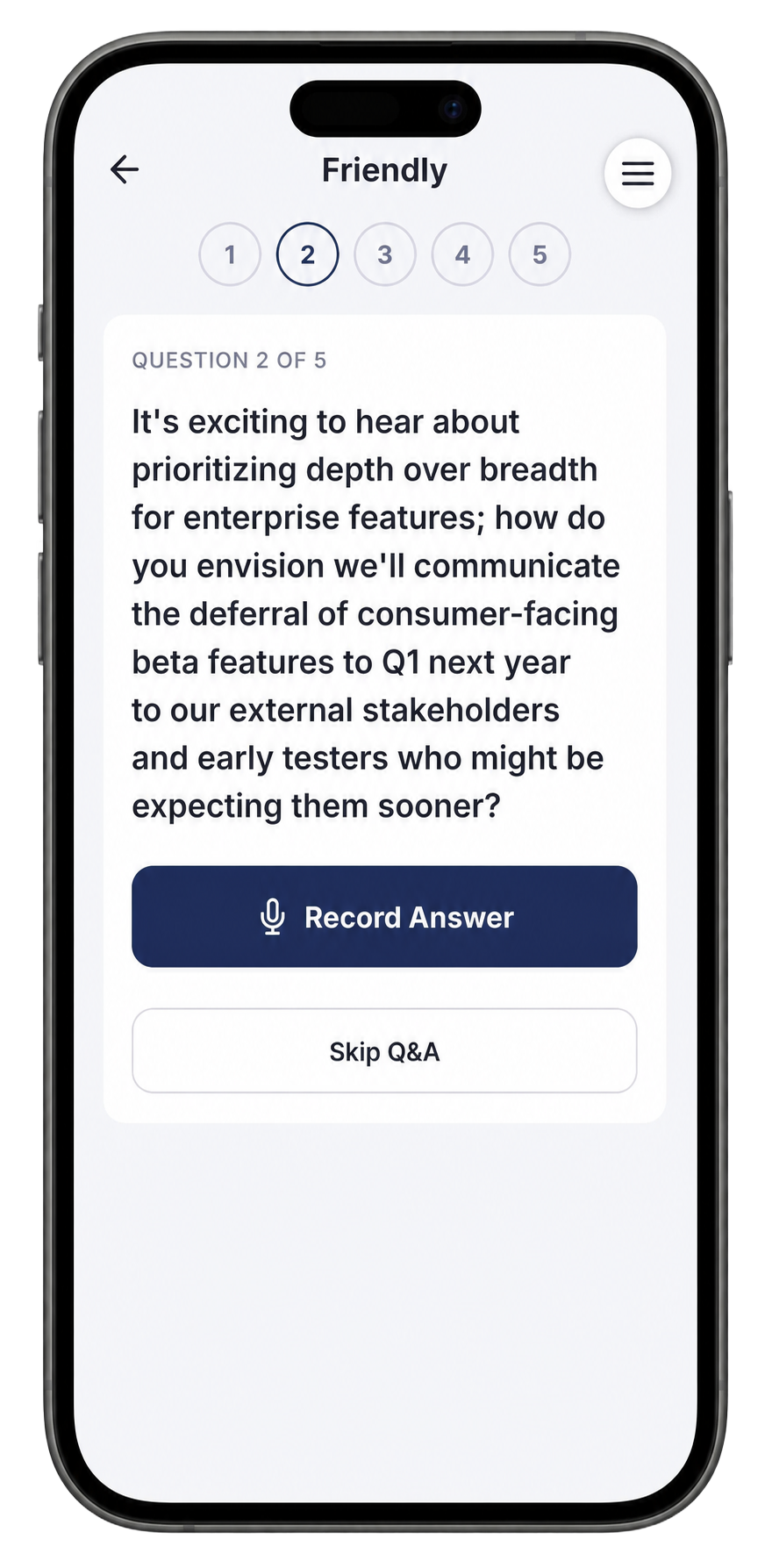
Friendly — warm and genuinely curious, wants to understand your strategy. Good for a first Q&A pass. Questions probe at a reasonable depth: "How do you envision communicating the deferral of consumer-facing beta features to external stakeholders and early testers who might be expecting them sooner?"
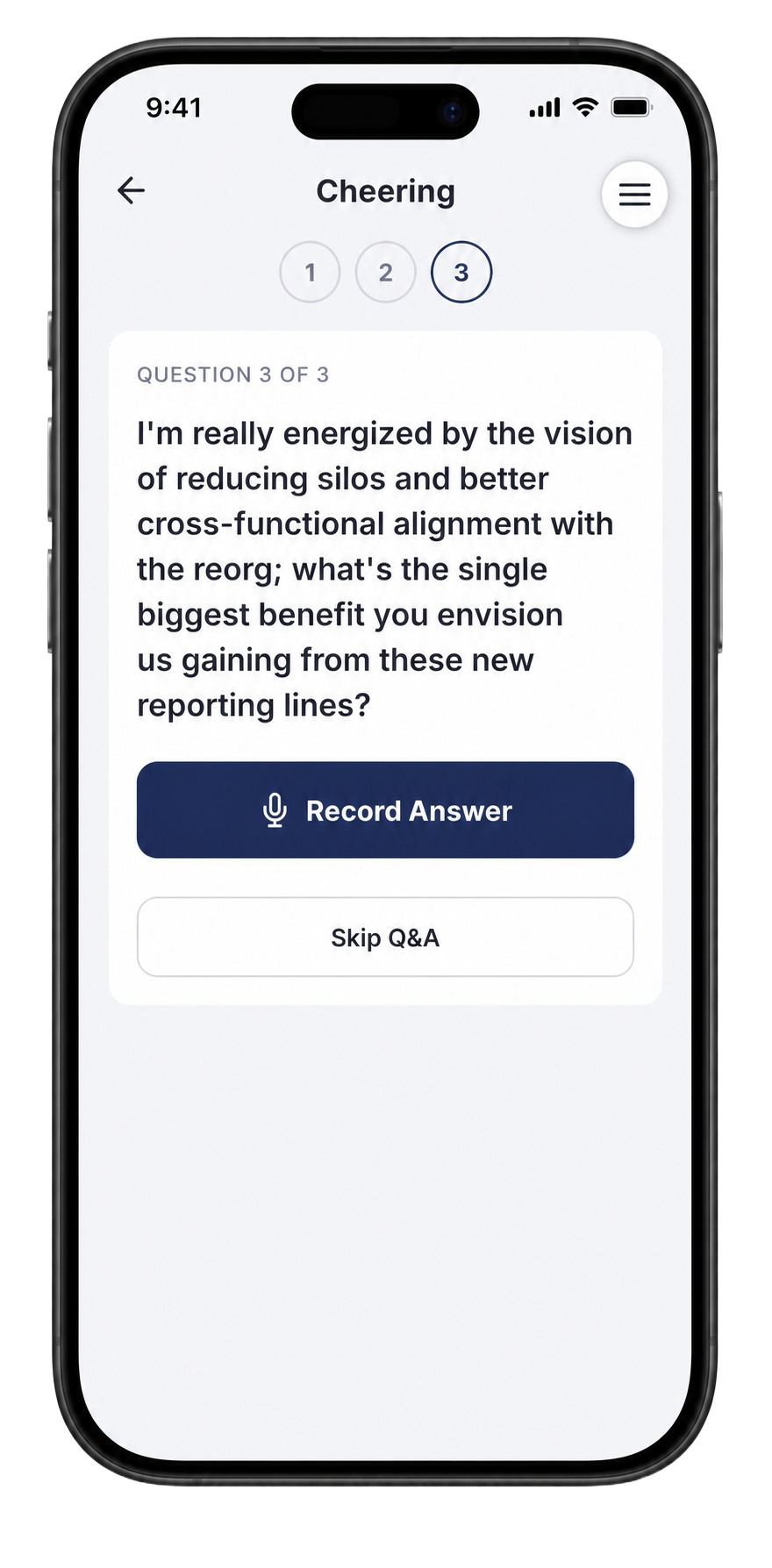
Cheering — enthusiastic and aligned with the vision. Uses that energy to ask big-picture questions: "What's the single biggest benefit you envision us gaining from these new reporting lines?" Practice landing a confident, specific answer rather than a vague positive — enthusiasm from the audience is not a pass.
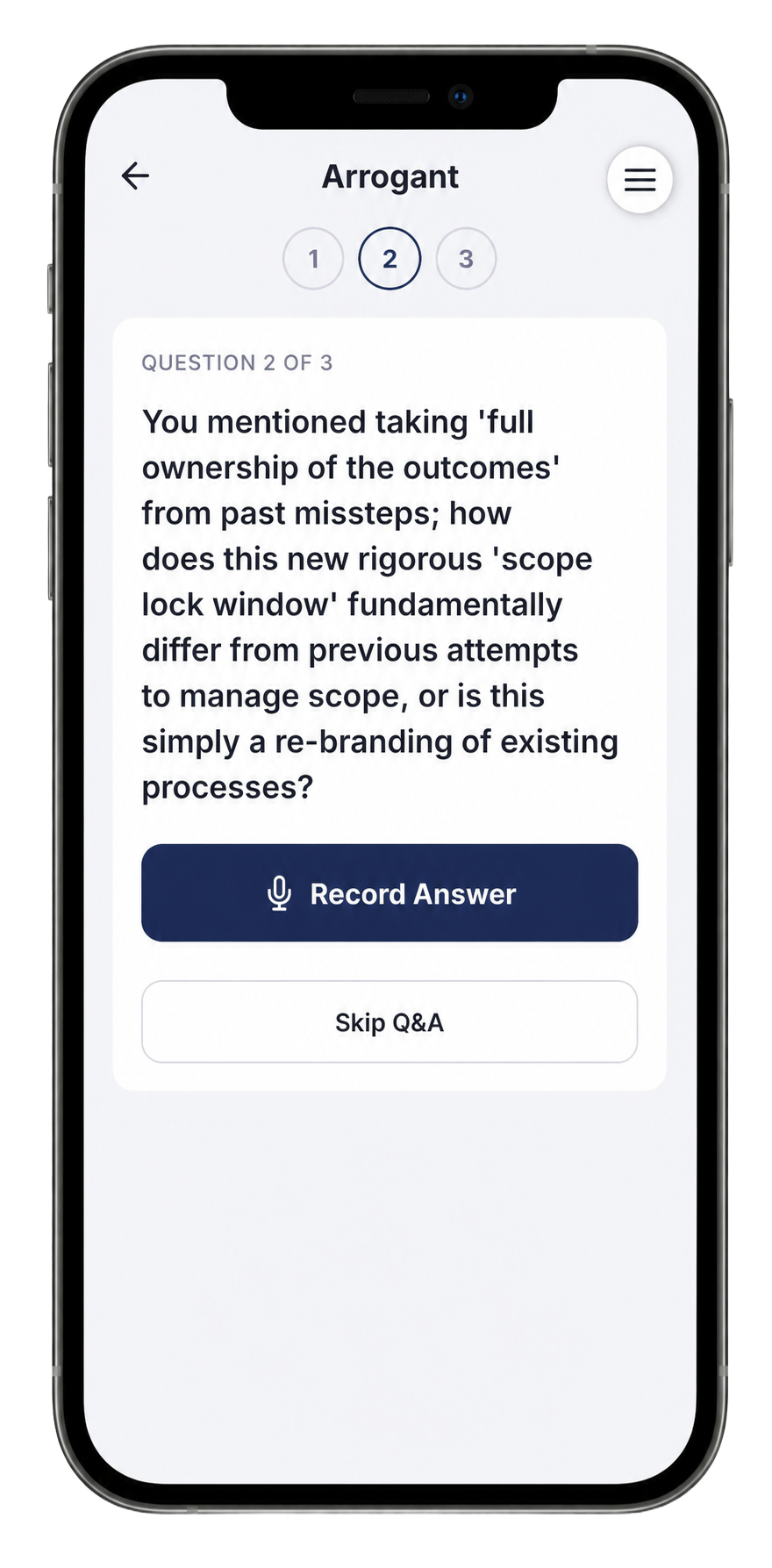
Arrogant — looking for inconsistencies and ready to challenge your framing. Questions are sharp and pointed: "You mentioned taking 'full ownership of the outcomes' from past missteps; how does this new rigorous 'scope lock window' fundamentally differ from previous attempts to manage scope, or is this simply a re-branding of existing processes?" If you have a crisp, honest answer to this, you are ready for anything.
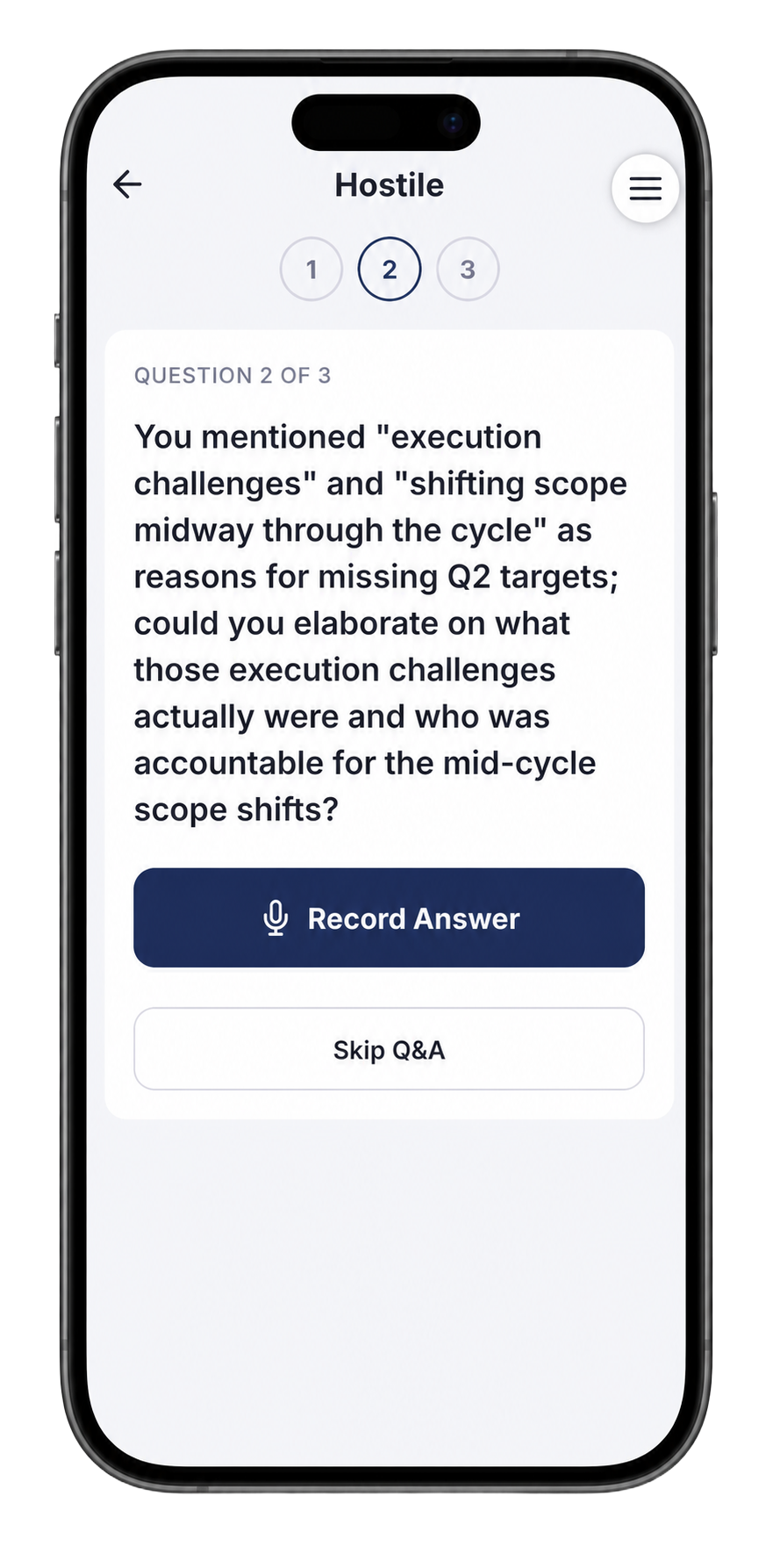
Hostile — confrontational, looking for accountability gaps. These are the hardest questions and the most important to practice: "You mentioned 'execution challenges' and 'shifting scope midway through the cycle' as reasons for missing Q2 targets; could you elaborate on what those execution challenges actually were and who was accountable for the mid-cycle scope shifts?"
If you can answer that calmly, directly, and without becoming defensive — the real room will feel easy.
Step 7 — Compare sessions and check your progress charts
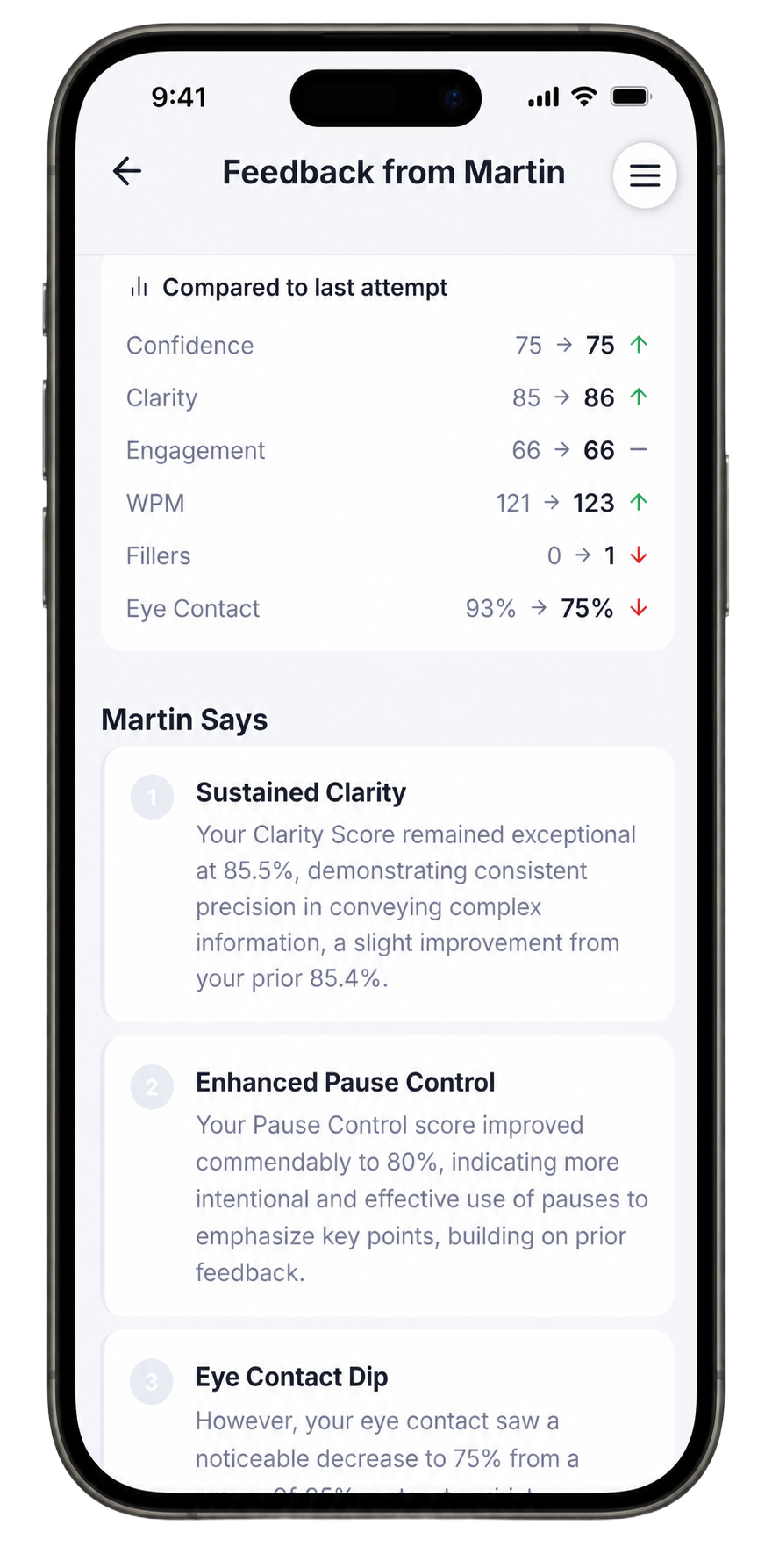
After a few sessions, the Comparison view inside your latest feedback shows exactly where the numbers moved. Clarity held at 85–86 (consistent precision on complex information), Confidence held at 75, and filler words came down to near zero. Eye contact dipped slightly — common when you start focusing on pace control — and that flags what to reclaim before the presentation day.
Martin's narrative notes name the wins and the one remaining focus: sustained clarity is the achievement; eye contact is the thing to bring back.
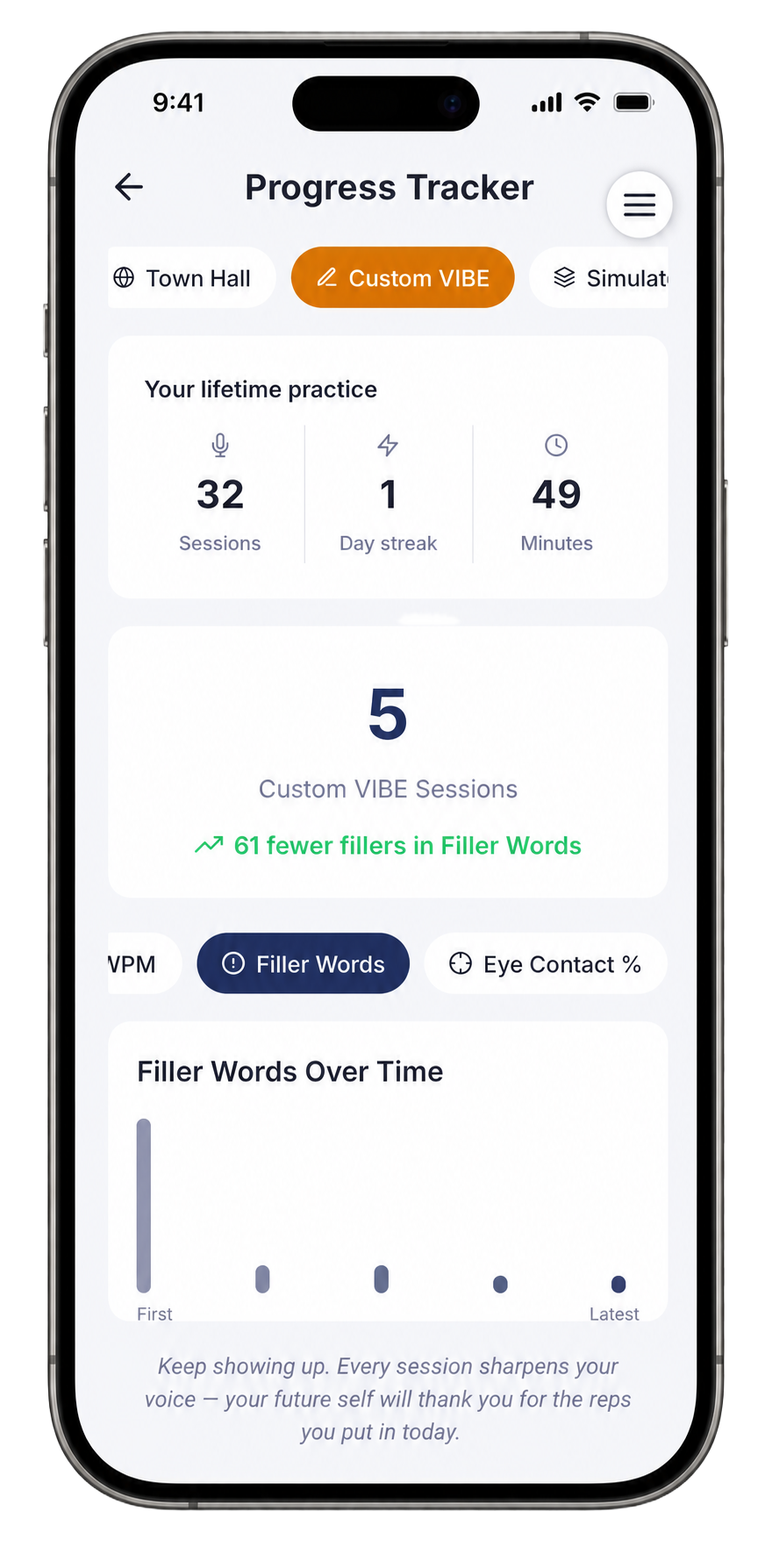
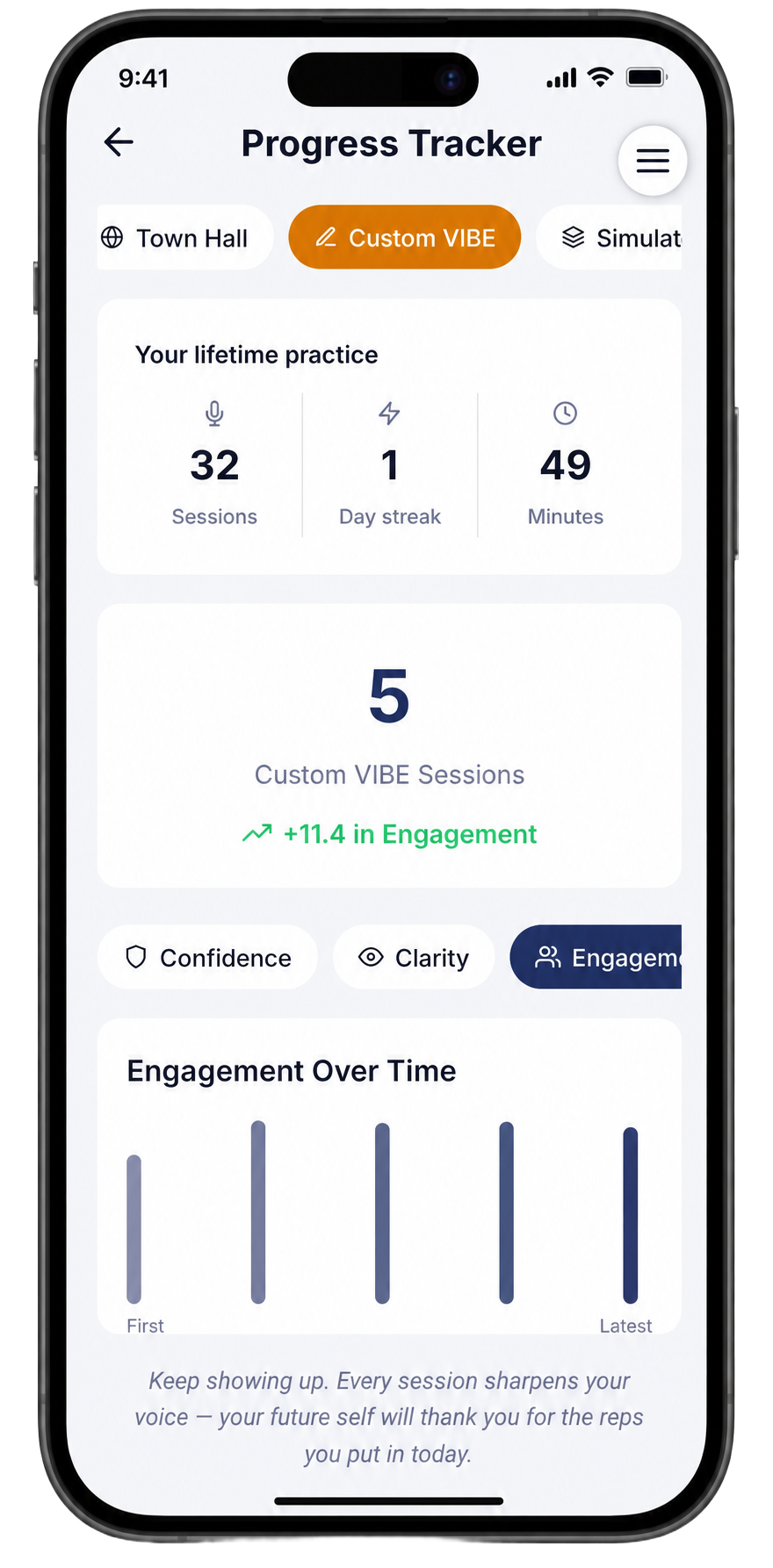
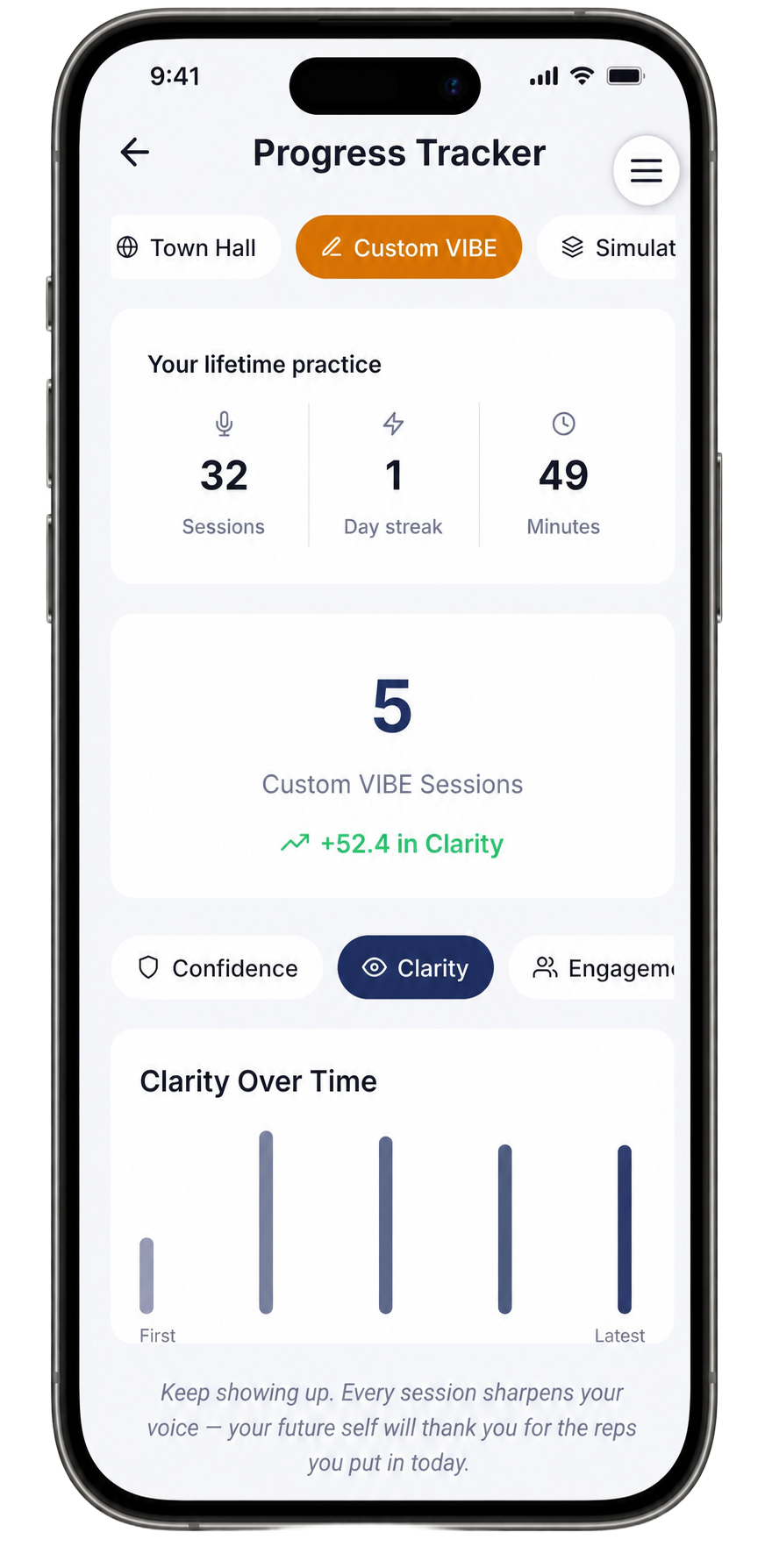
The Progress Tracker shows the full arc across all your sessions in this track. After five Custom VIBE sessions on the roadmap presentation, the charts tell the real story:
Filler Words Over Time — dropped by 61 across the session history. The tall first bar and the nearly flat latest bar is what consistent drilling actually produces.
Engagement Over Time — up 11.4 points across sessions, climbing steadily as vocal variety and pace control improved.
Clarity Over Time — up 52.4 points. This is the headline number. Starting at 33 after the first full-speed run, ending in the mid-80s after targeted pacing and filler work. That is what the practice sessions actually produced.
Step 8 — Review your full session history before the presentation
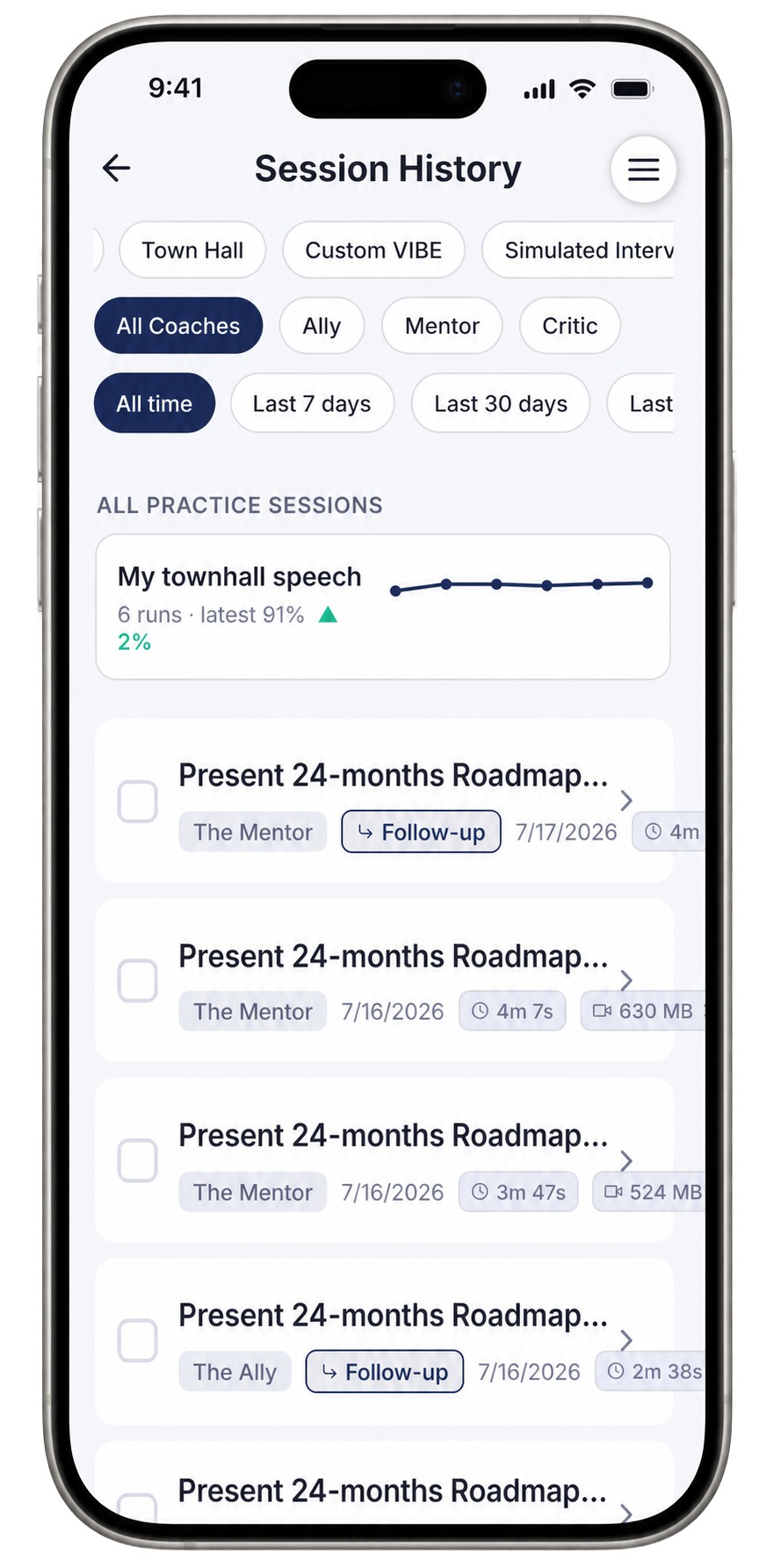
The Session History screen keeps a log of every take — date, coach, duration, and whether it was a follow-up session building on a previous one. Filter by session type (Town Hall, Custom VIBE) or by coach (Ally, Mentor, Critic) to find any previous take quickly and listen back to where you were.
The summary card at the top shows the arc for this goal: six runs, latest score 91, up 2% from the previous session. That upward trend line is what you want to see the morning of the all-hands — consistent improvement, a strong recent session, and a clear record of the work you have done.
The week before the presentation
Run one session a day. Use the Drills each morning for 10 minutes. Do at least one Hostile Mock Q&A pass in the final three days. By the time you are standing in front of those 300 people, you will have already done this presentation six or more times, heard your own voice stumble and recover, and answered the hardest version of every question you are likely to face.
Frequently asked
What is the difference between Town Hall mode and Custom VIBE? Town Hall is a preset scenario — quick to start, good for early runs. Custom VIBE uses your exact prompt, so the coaching, generated questions, and drills are calibrated to your specific content and context. For a real all-hands, use Custom VIBE.
Which coach is best for executive presentation prep? Start with The Mentor — balanced, direct, holds you to a high standard without being demoralising. Switch to The Critic for your final one or two runs before the real event. Save The Ally for sessions where you specifically need to rebuild confidence after a rough take.
How many Mock Q&A passes should I do? At minimum: one Friendly, one Arrogant, one Hostile. If you are presenting a reorg, missed targets, or any sensitive news — add an extra Hostile pass. The real room will not be harder than that.
Does the coach remember my previous sessions? Yes. The Ask the Coach feature references your session history and transcript, and follow-up sessions in Session History are linked to the original so the coach can track your arc across multiple runs.
Ready to go deeper on executive presence? Visit the Executive Presence hub. Or head back to all How-To Guides.
More in this track
- How To Ace an Interview with SpeakfectA step-by-step walkthrough — with real app screenshots — of using Speakfect to prepare for any interview. We use an Engineering Manager interview as the example: profile, goal, drills, simulated interview, debrief, and progress tracking.
- How To Overcome Fear of Public Speaking with SpeakfectA step-by-step walkthrough — with real app screenshots — of using Speakfect to build public speaking confidence: profile, goal, drills, coach, and progress tracking.
- How To Practice Your Best Man Speech with SpeakfectA step-by-step walkthrough — with real app screenshots — of rehearsing a best man speech in Speakfect: set your goal, practice on camera, read your score, and improve round by round.